
What a design system is and why it matters for consistent product delivery
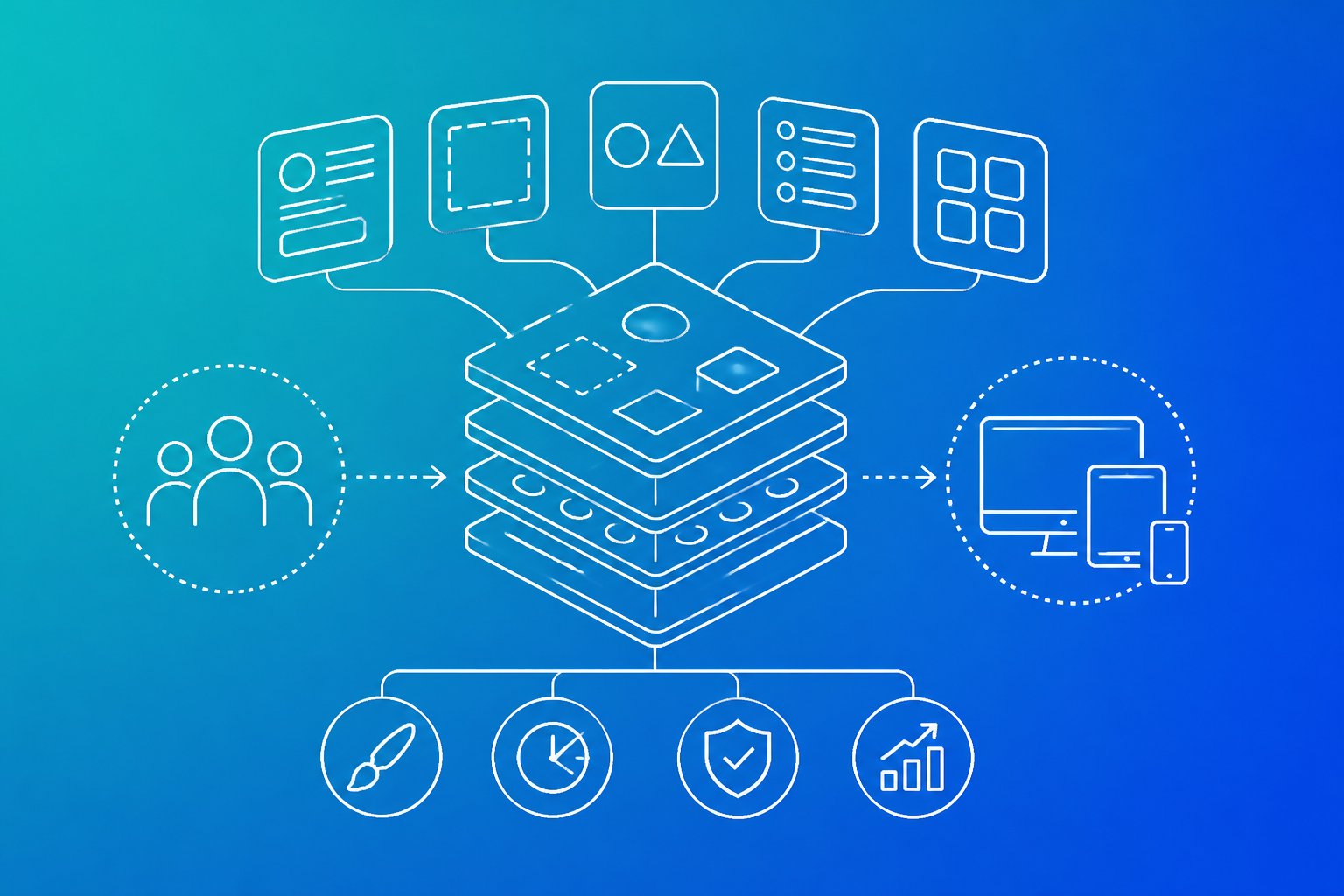
A design system gives product teams a shared way to create consistent user interfaces. It combines reusable components, design tokens, accessibility rules and practical guidance, helping teams shape a clearer user experience across every digital experience.
A design system matters because it connects product design decisions to reliable delivery, so teams can work faster without sacrificing consistency, usability or quality. A basic style guide may show colours and fonts, but a strong system explains which component to use, how it should behave and when it should not be used.
This article examines what makes a design system useful, how it supports collaboration between design and development and what teams need to govern so the system remains trusted as the product grows.
Key takeaways
- Design systems align interface patterns, behaviour and guidance.
- Shared components support consistent product delivery.
- Clear governance keeps the system useful as needs change.
The building blocks that make a system

A design system combines a visual language with reusable UI components, interaction patterns and guidance for using them. Its foundations define how products look, while tokens, documentation and shared libraries make those decisions consistent and maintainable.
Foundations: colour, typography, spacing and iconography
Foundations set the rules that every interface follows. A defined colour palette should cover brand colours, text, surfaces, borders, links, focus states and semantic states such as success, warning and error. It should also specify contrast requirements rather than relying on colour alone.
Typography defines the typefaces, weights, sizes, line heights and hierarchy used across products. A spacing scale, such as a controlled set of increments, keeps layout decisions predictable across pages and components. Iconography needs rules for size, stroke, alignment, optical balance and when an icon needs a text label.
These decisions form the product’s visual language and should align with brand guidelines without copying marketing treatments into operational interfaces. A cheap version lists colours and fonts but leaves layout, responsive behaviour and accessibility to individual judgement.
Components and patterns: from buttons to complete flows
Components turn foundations into working interface parts. A component library may include buttons, input fields, forms, cards, modals and navigation menus, with defined states such as hover, focus, disabled, loading and validation errors. Each component should explain its purpose, permitted variations and content limits.
Patterns show how components work together to complete a task. A pattern library might document search, sign-in, filtering, pagination, confirmation and error recovery. These interaction patterns matter because a consistent button is useful, but a consistent form flow prevents avoidable mistakes.
Good design system components handle real conditions, including long labels, missing data, narrow screens, keyboard navigation and failed requests. A superficial library presents polished examples only. Operators need components and patterns that remain clear when the product faces pressure, incomplete information or unusual input.
Tokens, documentation and the single source of truth
Design tokens store decisions such as colour values, typography settings, spacing units, corner radii and elevation. Components consume those tokens instead of hard-coding separate values. When a token changes, teams can update related interfaces without searching through disconnected files and stylesheets.
Documentation explains how to use each component, when not to use it and which accessibility or content rules apply. It should connect the component library with style guides, content guidelines and implementation details. Examples should show correct and incorrect uses, required labels, responsive behaviour and available states.
The system becomes a practical single source of truth when designers and developers can find the same current definitions in their normal workflow. Governance still matters: named owners, review rules and a clear change process prevent duplicated components and conflicting patterns from returning.
Why it improves product delivery

A design system gives teams shared rules for visual consistency, interaction patterns and accessible implementation. It helps designers, developers and product owners make faster decisions while protecting usability, brand identity and long-term maintainability.
Consistent interfaces build trust
Users learn an interface through repetition. When buttons, forms, navigation and feedback behave consistently, users can predict what will happen and complete tasks with less hesitation. Consistency also reduces the cognitive effort required to move between screens or products.
Brand consistency matters beyond colour and typography. A reliable system connects brand identity to practical UI design through defined spacing, components, content patterns and interaction states. The result feels deliberate rather than assembled from unrelated templates.
The cheap version uses visual similarity without shared behaviour. Two buttons may look alike yet respond differently, or the same error may appear in several inconsistent formats. A maintained design system gives cross-functional teams clearer decisions to review during prototyping, onboarding and delivery.
Reusable parts reduce rework
Reusable components reduce repeated design and development work. A team can use an approved table, form field or modal instead of rebuilding its structure for every feature. Designers work from known patterns while developers extend components already represented in the codebase.
This improves the design and development workflow when ownership remains clear. Components need documented properties, usage guidance and defined states, including loading, empty, error and disabled conditions. Without that detail, a library becomes a collection of attractive fragments that teams copy inconsistently.
Reusable templates also support scalability. Product teams can test a flow with established parts, identify genuine service problems and avoid spending time solving the same interface problem repeatedly. When a component changes, teams can assess its effect across products rather than hunt through disconnected screens.
Accessibility must be built in, not added later
Accessibility belongs in product development from the first structure and prototype. Designers and developers should account for semantic headings, clear focus states, keyboard navigation, readable text and sufficient colour contrast before implementation reaches production.
Accessibility guidelines and applicable standards provide useful checks, but compliance alone does not guarantee a usable experience. Teams should test real journeys, including form completion, error recovery and navigation without a mouse. They should also confirm that components expose meaningful labels and instructions to assistive technologies.
A design system can make these practices repeatable. It can define accessible component behaviour, document required contrast ratios and prevent common defects from spreading across the codebase. Teams still need regular testing because content, product context and new interaction patterns can introduce issues that a component library cannot catch.
How to build and govern a system that lasts
A durable design system begins with real product friction, then connects reusable design assets to production code. Clear ownership, documented decisions, measured contribution and disciplined review keep visual standards useful as products, teams and technologies change.
Start with real product problems and audit existing patterns
A team should begin by reviewing live products, not by drawing an idealised UI kit. It should catalogue repeated controls, layout decisions, content states, accessibility defects and places where teams have created competing solutions. The audit should include design files, websites, component libraries, frontend repositories and brand guidelines.
The team can then group findings by user need and delivery cost. Atomic design, associated with Brad Frost, offers a useful vocabulary for arranging atoms, molecules and organisms, but the hierarchy should serve the product rather than become a filing exercise. A button variant deserves standardisation when it solves a repeated problem, not simply because it fits a neat taxonomy.
The audit should also record exceptions. A data-heavy tool may need denser tables than a marketing site, while a mobile workflow may require different interaction patterns. Design principles should state what the system prioritises, such as clarity, accessibility, resilience and efficient task completion. Visual standards should express the brand, but they should not override usable interaction design.
Connect design assets and production code
A system lasts when designers and engineers use the same definitions. The team should map design-tool components to coded components, give them matching names and document states such as loading, error, disabled and focus. Storybook can display those coded components, show usage guidance and expose differences before they reach a release.
A UI kit should contain more than polished screens. It should include component properties, spacing rules, typography, content guidance, responsive behaviour and accessibility requirements. Engineers should treat the implementation as a maintained product, with tests for visual regressions, keyboard behaviour and supported browsers.
Theming becomes easier when teams manage shared values as design tokens. Tokens can represent colour, type, spacing, elevation and motion, while themes assign those values for different brands or modes. The W3C Design Tokens Community Group provides useful industry context, but each organisation still needs a practical naming scheme, versioning policy and migration path.
A cheap implementation exports screenshots and calls the work complete. A durable implementation keeps design intent, code behaviour and documentation aligned through review.
Set ownership, contribution rules and review cycles
Governance should make decisions visible without turning every change into a committee meeting. A small core team can own foundations, accessibility standards, releases and documentation, while product teams contribute patterns that solve verified needs. A named product, design and engineering owner should approve changes that affect multiple teams.
Contribution rules should specify the evidence required for a proposal:
- the user or business problem
- existing patterns considered
- accessibility and content implications
- Design file and code examples
- adoption scope and migration impact
- a named maintainer
A decision log should record the choice, rationale, approvers and review date. Regular review cycles should remove obsolete components, consolidate near-duplicates and check whether teams still use published patterns. Versioning should distinguish safe additions from breaking changes, with release notes and migration guidance for the latter.
Governance fails when it relies on informal authority or a single expert. It also fails when it enforces consistency without accepting legitimate product constraints. Teams need an escalation route for exceptions, plus a clear rule that temporary exceptions must have an owner and a review date.
Learn from established systems without copying them
Established systems provide patterns to study, not templates to adopt blindly. Material Design shows how Google connected components, motion, theming and platform guidance. The Atlassian Design System demonstrates how a large product family can support shared components while serving varied workflows. IBM’s Carbon and Microsoft’s Fluent offer further examples of token structures, accessibility guidance and cross-platform coverage.
Earlier work also matters. Yahoo!’s design pattern library and Yahoo! User Interface Library helped popularise reusable interface guidance for websites. Christopher Alexander’s A Pattern Language influenced the idea that recurring design problems can have reusable solutions, while the NATO software engineering conference helped establish software engineering as a distinct discipline. These references provide history, not ready-made answers.
A team should compare such systems against its own products, constraints and brand guidelines. It should ask which rules reduce repeated decisions, which components support its users and which documentation helps delivery. Copying names, visual treatment or taxonomy without understanding the underlying problem produces a foreign system that teams bypass.
Global brands need local flexibility, but they also need shared principles and stable foundations. The strongest system expresses a clear vision, records why decisions exist and changes when product evidence justifies the change.
Frequently asked questions
A design system combines reusable interface parts with rules, standards and documentation. It helps product teams make consistent decisions, support accessibility and deliver changes with less duplicated effort.
What is a design system?
A design system is a shared framework for designing and building digital products. It usually includes design tokens, reusable components, interaction patterns, accessibility rules, naming conventions and documentation.
A component library alone is not a complete design system. The library provides assets such as buttons, forms and modals, while the wider system explains when teams should use them, how they should behave and how they should be maintained. Design system guidance commonly distinguishes the system from a simple style guide or component collection.
Why does a design system matter for product teams?
It gives designers, developers and product managers a shared way to make interface decisions. Teams can use established patterns instead of resolving the same questions separately in every feature.
This matters most when several teams work on one product. Without shared rules, spacing, form behaviour, error messages and responsive layouts can drift apart. That drift increases design and development effort and makes the product harder for users to learn.
What are the main components of a design system?
The main components include:
- Design tokens: Named values for colour, typography, spacing, sizing, borders and other visual decisions.
- Components: Reusable interface elements such as buttons, inputs, navigation, dialogs and tables.
- Patterns: Repeatable solutions for tasks such as sign-in, search, filtering and empty states.
- Guidelines: Rules for content, layout, interaction, responsive behaviour and accessibility.
- Documentation: Usage guidance, examples, code references and explanations of component states.
- Governance: Ownership, contribution rules, review processes and release management.
A practical system connects design files with production code where possible. That connection reduces the risk of a component looking correct in a design tool but behaving differently in the product. A detailed breakdown of tokens, components and documentation shows why the parts work best as a connected set.
What are the advantages of using a design system?
A design system reduces repeated work. Teams can reuse tested components and established decisions rather than recreate common interface elements for each release.
It also improves communication. A designer can refer to a named component and its states, while a developer can implement the corresponding code with fewer assumptions.
The cheap version is a page of visual rules with no ownership or maintenance plan. It quickly becomes outdated, leaves edge cases unresolved and forces teams to create local exceptions. A useful system records decisions, explains trade-offs and makes contribution manageable. Practical design system checklists cover the operational work needed to keep one useful.
How does a design system improve consistency and accessibility?
It defines shared decisions for colour contrast, focus indicators, keyboard behaviour, labels, error states, spacing and component structure. Teams can then apply those decisions across products instead of relying on individual memory.
Reusable components also let teams fix a problem in one place and distribute the corrected pattern more widely. They still need to test the resulting product because context, content and implementation can introduce new accessibility issues.
Consistency does not mean forcing every screen into one layout. A good system standardises behaviour and removes unnecessary variation while allowing teams to choose the right pattern for a specific user task.
What are some good examples of design systems?
Well-known examples include Apple’s Human Interface Guidelines, Airbnb’s design system, Atlassian’s design system and Uber’s Base Web. These examples show different approaches to components, language, platform support and documentation, rather than one universal model. Examples of established design systems compare how these organisations structure their systems.
Published design-system guidance also provides a useful reference for teams working across products or brands. A team should study examples for principles and operating practices, then adapt them to its users, technology and delivery model. Copying another organisation’s component names or visual style rarely solves the same operational problem.