

Accessibility basics every business should know for better customer experience
Accessibility gives every customer a fair chance to use a business’s services, including people with disabilities. A website that supports keyboard navigation, readable content, useful labels and alternative text improves the user experience for everyone, not only those who need assistive technology.
Businesses should treat accessibility as a core quality standard: build an accessible website, test it with real users and maintain it as part of everyday operations. The W3C’s web accessibility guidance explains the foundations, while practical checks around colour contrast, headings, forms, captions and keyboard access help turn policy into a usable service.
The article covers the essential decisions that support equal access, shows where quick fixes fall short and answers common questions about digital accessibility and business responsibilities.
Key takeaways
- Accessibility helps people with disabilities use digital services independently.
- Clear structure, controls and content create a more usable website.
- Regular testing and accessible business processes prevent standards from slipping.
The core standard for digital access

Digital accessibility depends on content that people can perceive, operate, understand and use with different assistive technologies. WCAG provides the technical framework, while applicable laws determine which accessibility requirements an organisation must meet.
Use POUR to assess real user journeys
The four WCAG principles provide a practical test for each important task:
- Perceivable: Text needs sufficient colour contrast, images need meaningful alternative text and video needs captions where spoken information matters.
- Operable: Keyboard users must reach every control, focus must remain visible and time limits must not prevent task completion.
- Understandable: Forms need clear labels, instructions and error messages. Navigation and interaction patterns should remain consistent.
- Robust: Content must work with current browsers, mobile devices and assistive technologies such as screen readers.
Teams should assess complete journeys, not isolated page features. A checkout may pass a colour-contrast check yet fail when a keyboard user cannot open the delivery method, identify an error or return to the affected field.
Set WCAG 2.2 AA as the practical target
The Web Content Accessibility Guidelines from the World Wide Web Consortium provide testable success criteria. WCAG 2.2 is the current version, while WCAG 2.1 remains relevant where a contract, policy or regulation names it specifically.
Most organisations use Level AA as their working target. It adds stronger requirements than Level A without requiring every optional Level AAA criterion, which may not suit all content or services. WCAG 2.1 AA and WCAG 2.2 AA are not legal guarantees by themselves, but they give developers, designers and testers a shared specification.
Teams should record failed criteria, affected user journeys, responsible owners and repair dates. Automated testing can identify issues such as missing labels, but manual keyboard checks, screen-reader testing and testing with disabled users reveal failures that tools cannot reliably detect.
Understand the legal and regional context
Technical conformance does not replace legal analysis. In the United States, Title III of the Americans with Disabilities Act can apply to businesses open to the public, and the Department of Justice has issued digital accessibility guidance. The ADA does not simply turn WCAG into a universal statutory checklist, so organisations should obtain advice based on their service, sector and location.
The European Accessibility Act introduces accessibility requirements for specified products and services in the European Union. The UK Equality Act 2010 can also require reasonable adjustments and accessible service delivery. Duties vary by organisation, audience and jurisdiction.
A compliance programme should identify applicable rules, document decisions, publish an accessibility statement and provide a usable contact route for reporting barriers. Treating WCAG 2.2 AA as the design baseline can reduce legal risk, but it does not remove the need to check local obligations.
Build a website people can actually use
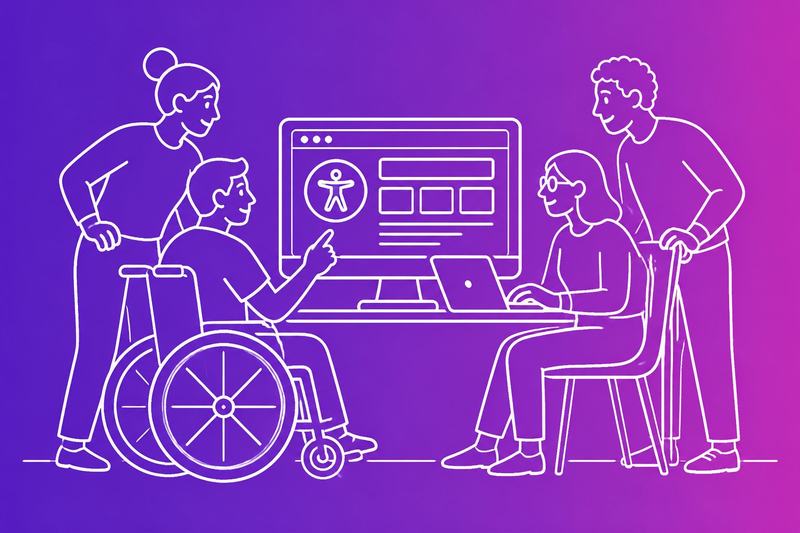
Accessible design starts with meaningful structure, readable content and controls that work without a mouse. Clear HTML, sufficient contrast, predictable keyboard behaviour and useful form feedback help people with disabilities complete tasks independently.
Give structure and images their proper meaning
Semantic HTML gives digital content a usable structure. Each page should have one clear H1, followed by H2 sections and H3 subsections in a logical order. Heading levels should not be chosen for visual size. They help screen readers and other assistive technologies understand how the page is organised.
Images need an accurate alt attribute. The alternative text should state the image’s purpose, such as “Bar chart showing quarterly sales increased”, rather than “image” or “photo”. If an image carries no information, the code should mark it as decorative so a screen reader can skip it. A linked image needs alt text that describes the link’s destination.
Semantic HTML also supports screen readers without unnecessary ARIA. A real button works more reliably than a styled div, while a real link provides expected navigation behaviour. WAI’s introduction to web accessibility explains why structure and meaning matter to people using the web in different ways.
Make visual design readable without colour alone
Text must remain readable for people with low vision and many forms of colour blindness. Designers should use a suitable contrast ratio between text and its background, then check the result for normal text, large text and interface controls. Pale grey text on white may look refined, but it becomes difficult to read.
Colour should never carry meaning by itself. An error should include text and, where useful, an icon, not only a red border. A status chart should label values directly or use patterns and labels in addition to colour.
The layout should continue to work when someone increases text size or uses browser text scaling. Content should reflow without horizontal scrolling at common zoom levels, except where a specialist interface genuinely requires it. Readable fonts, plain language, generous line spacing and visible focus states improve use for many people, not only those with diagnosed disabilities. Guidance on accessible web design practices covers these practical design decisions.
Support keyboard and assistive technology users
Every interactive element must work through keyboard navigation. A keyboard-only user should be able to reach links, buttons, menus, dialogs and form fields with the Tab key, activate them with Enter or Space and leave them without becoming trapped. The tab order should follow the visual and logical order of the page.
A strong focus indicator must remain visible. Removing the browser outline without providing a clear replacement makes navigation unreliable. Developers should also keep keyboard focus inside an open dialog until the user closes it, then return focus to the control that opened it.
Voice controls and other assistive technologies depend on accurate names and roles. A button labelled “Download invoice” gives a person and their technology useful information. An icon-only button with no accessible name does not. Testing should include keyboard navigation, a screen reader and browser zoom because automated checks cannot confirm every interaction.
Remove friction from forms and interactive elements
Accessible forms label every field clearly and place instructions where users need them. A label should remain visible rather than relying on placeholder text, which disappears during typing and often has weak contrast. Required fields should be identified in text, not only with an asterisk, and the form should explain the expected format before submission.
Error messages should identify the field, explain the problem in plain language and state how to fix it. For example, “Enter a valid email address, such as [email protected]” gives better direction than “Invalid input”. The page should place focus on the first error or provide an announced error summary for screen reader users.
Links need meaningful text such as “View delivery options”, not repeated phrases such as “Read more”. Interactive elements should have enough space to use comfortably, respond consistently and expose their state to assistive technologies. Practical accessibility guidance for website owners highlights the effect of these details on everyday use.
Make accessibility part of business operations
Businesses protect access when they build it into routine work rather than treating it as a one-off website task. Audits, staff training, disabled people’s input and accessible physical and digital services help improve customer experience, reduce operational friction and support an inclusive workplace.
Audit, test and prioritise the highest-impact fixes
An accessibility audit should examine key customer journeys, including account creation, search, checkout, booking, payments and contact forms. Automated checks can identify issues such as missing form labels, poor colour contrast and incorrect heading structure, but they cannot judge whether a screen reader user can complete a task.
Teams should combine automated testing with keyboard checks, manual review and assistive technology testing. Tools such as WAVE can help identify common web issues, while guidance from WebAIM supports more thorough evaluation. Testing should include people with different disabilities where possible.
They should record each issue with its location, user impact, standard involved and recommended fix. Prioritisation should favour barriers that block essential tasks, affect many users or create legal and safety risks. Teams should retest after each release and track unresolved issues in the same system as other product defects.
Train teams and include disabled people in decisions
Accessibility depends on daily decisions made by designers, developers, writers, recruiters, customer service staff and procurement teams. Training should cover semantic HTML, keyboard operation, accessible documents, meaningful link text, captions, plain language and correct use of headings. It should also explain how staff must respond when a customer reports a barrier.
Disabled people should influence requirements, prototypes and acceptance testing, not just review a finished product. Their experience can expose problems that a checklist misses, such as confusing error messages, inaccessible support processes or poor navigation with magnification software.
An inclusive workplace also needs practical workplace accessibility. Managers should provide reasonable accommodations through a clear process, which may include adjusted equipment, flexible working arrangements, accessible meeting materials or a sign language interpreter. Staff should know how to request support privately and without unnecessary delay.
Extend equal access beyond the website
A website cannot provide equal access if the rest of the service creates barriers. Businesses should check entrances, counters, lifts, toilets, seating, lighting, signage and emergency procedures. Physical accessibility also includes temporary arrangements, such as keeping accessible routes clear and providing an alternative when building work blocks an entrance.
Customer service should offer more than one contact method, including accessible digital forms, telephone support and relay options where suitable. Staff should avoid forcing customers to repeat information and should know how to arrange communication support, including a qualified sign language interpreter when needed.
Procurement teams should include accessibility requirements in contracts for software, venues, payment services and marketing platforms. Clear reporting routes, prompt responses and consistent fixes can strengthen trust, customer loyalty and brand reputation. Accessible content can also improve usability and support SEO, while inclusive design helps businesses reach more customers and identify practical improvements to products and services.
Frequently asked questions
Accessible premises, digital services and employment practices remove practical barriers for disabled people. Businesses should apply recognised accessibility principles, meet relevant legal duties and test how customers and staff use their services.
What are the core principles of accessibility?
The core principles are perceivable, operable, understandable and robust. These principles underpin the Web Content Accessibility Guidelines, although businesses can apply them more broadly to services and communications.
- Perceivable: People can access information through sight, hearing or another suitable method. Captions, transcripts, text alternatives and sufficient colour contrast support this principle.
- Operable: People can use controls without relying on a mouse, precise movements or a specific device. Keyboard access, usable touch targets and clear focus indicators matter.
- Understandable: Content and processes use plain language, consistent navigation and helpful error messages.
- Robust: Content works with different browsers, assistive technologies and devices.
A cheap fix often changes the appearance without removing the barrier. For example, adding an accessibility statement does not make a checkout usable with a keyboard or make an image meaningful to a screen reader.
What accessibility requirements apply to businesses under the ADA?
In the United States, Title III of the Americans with Disabilities Act generally requires businesses open to the public to provide equal access to their goods, services and facilities. Title I covers employment and requires covered employers to consider reasonable accommodation for qualified employees and applicants.
The ADA does not provide one complete technical standard for every business website. Courts and regulators have still treated inaccessible digital services as a potential barrier to equal access, so businesses should review both their legal position and applicable state requirements. A plain-English ADA business guide explains the main duties and common areas of non-compliance.
Businesses should document accessibility decisions, respond promptly to access requests and avoid treating a standard policy as a reason to deny an effective alternative. Legal duties vary by business type, location, service and employment circumstances, so a qualified adviser may be needed for a specific case.
What are the most common accessibility barriers in business premises?
Common barriers include steps without an accessible entrance, narrow routes, heavy doors, inaccessible toilets, high service counters and poor signage. Furniture, displays or temporary equipment can also block routes even when the original layout met a reasonable standard.
Businesses should provide step-free access where required, maintain clear routes, use readable signs and keep accessible facilities available. Staff should know how to offer assistance without moving a mobility aid, touching a person or making assumptions about the help they need.
Accessible parking, hearing support and seating can also affect access. The right adjustment depends on the building, service and person, so operators should inspect the full customer journey rather than only the entrance.
How can a business make its website accessible to disabled users?
A business should build pages with semantic headings, descriptive link text, labelled form controls, meaningful alternative text and keyboard access. Text should have sufficient contrast, content should reflow when enlarged and videos should include accurate captions.
The website should identify errors clearly and explain how to correct them. It should also avoid relying on colour alone to communicate status, such as marking required fields only with red text.
Automated checkers can find some code and contrast problems, but they cannot judge whether alternative text makes sense or whether a booking process is practical. Businesses should combine automated checks with keyboard testing, screen reader testing and reviews by disabled users. The website accessibility basics guide covers practical fixes for contrast, alternative text, labels and headings.
What reasonable adjustments should employers make for disabled staff?
Employers should discuss the barrier with the worker and consider an effective adjustment rather than applying a fixed list. Examples include altered hours, home working where the role permits it, adapted equipment, accessible software, a modified workspace, additional breaks or changes to duties.
The adjustment should support the essential work without reducing the person’s dignity or access to development. Employers should protect confidential health information and review the arrangement if the role, technology or person’s needs change.
A business should also make recruitment, training and workplace communications accessible. It should not assume that one adjustment works for everyone, and it should record agreed actions, responsibilities and review dates.
How can a business check whether its services are accessible?
A business should map the complete customer and employee journey, from finding information and travelling to the premises through to payment, support and follow-up. It should identify where a person must see, hear, move, read, speak or use a particular device.
The review should include:
- An inspection of entrances, routes, counters, toilets, signs and emergency arrangements
- Keyboard-only checks for websites and digital forms
- Testing with screen readers, magnification and captions where relevant
- Checks of colour contrast, headings, labels, error messages and document formats
- Conversations with disabled customers and staff, with appropriate consent and privacy
- A written action plan that ranks barriers by risk, frequency and effect on access
Businesses should retest after changes and monitor complaints, failed transactions and adjustment requests. A WCAG FAQ provides detailed guidance on keyboard navigation, ARIA, contrast, alternative text and testing.
Run this check
See how a site measures up on the basics before you act on any of this. Get a free website audit: enter a URL and an email, and we check the public pages on our servers, never logging in and never touching your files. The findings come back with the page, the reason and the fix.