The operator's guide to small business cyber security: practical controls that reduce risk
Small businesses face cyber risks through everyday operations, including weak passwords, unpatched devices, phishing emails and exposed data. A practical security plan helps an operator reduce these risks without adding unnecessary complexity or cost.
The operator’s guide to small business cyber security shows how to protect accounts, devices, networks and business data through clear controls, regular checks and a tested response plan. It also covers suppliers, legal duties, insurance requirements and the routines that keep security effective.
Key takeaways
- Strong access controls reduce account compromise.
- Secure devices and data limit business disruption.
- Regular checks improve response and compliance.
Establish your security baseline
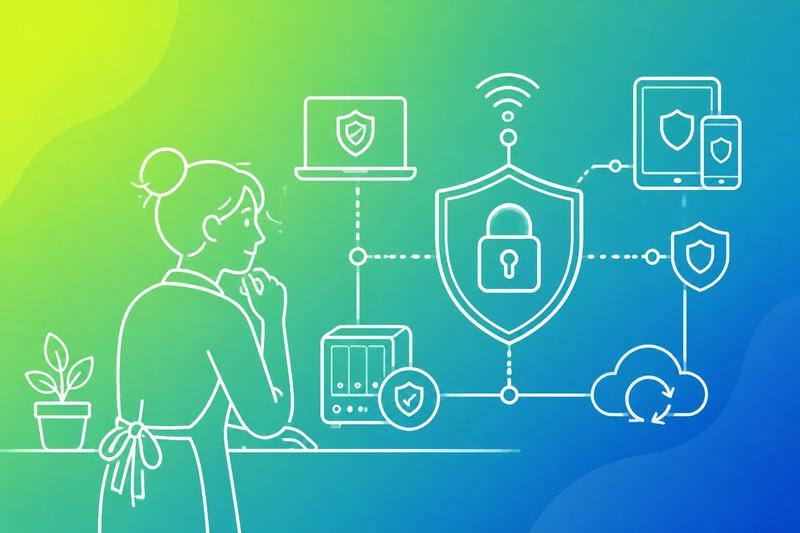
A useful baseline shows which systems and data need protection first, then links each risk to its likely effect on trading, customers and legal duties. It gives the operator a defined starting point for controls, reviews and incident decisions.
Identify critical systems and data
The operator should list the systems that keep the business running, such as payment platforms, accounting software, email, websites, customer databases, stock systems and cloud storage. The list should name the owner, supplier, administrator and recovery method for each system.
The operator should then classify the data stored or processed there:
- Restricted: payment details, passwords, identity records and confidential contracts
- Internal: staff records, pricing information and operating procedures
- Public: published contact details, product information and marketing content
A failure or compromise can stop sales, expose personal data or give an attacker access to other services. The operator should record where each system connects to another, especially through shared passwords, single sign-on, payment integrations and administrator accounts.
The baseline should include backup locations, backup frequency and the time needed to restore each critical service. It should also identify systems that no longer have vendor support, because unpatched software creates a direct route into the business.
Prioritise risks by business impact
The operator should rank risks by what could happen, not only by how likely an attack appears. A stolen email account may expose invoices, reset other passwords and let an attacker impersonate a director. A failed payment service may stop trading within minutes.
A simple risk register can record:
Risk Business impact Priority control Account takeover Fraud, data loss or service disruption Multi-factor authentication and password manager Ransomware Loss of access to files and systems Tested offline or isolated backups Payment fraud Direct financial loss Payment approval checks and separation of duties Unpatched software Unauthorised access Supported software and timely updatesThe operator should address risks that threaten customer safety, cash flow, legal obligations or operational continuity first. Each priority should have an owner, a target date and a measurable control, such as enabling multi-factor authentication for every administrator account.
Protect accounts and access
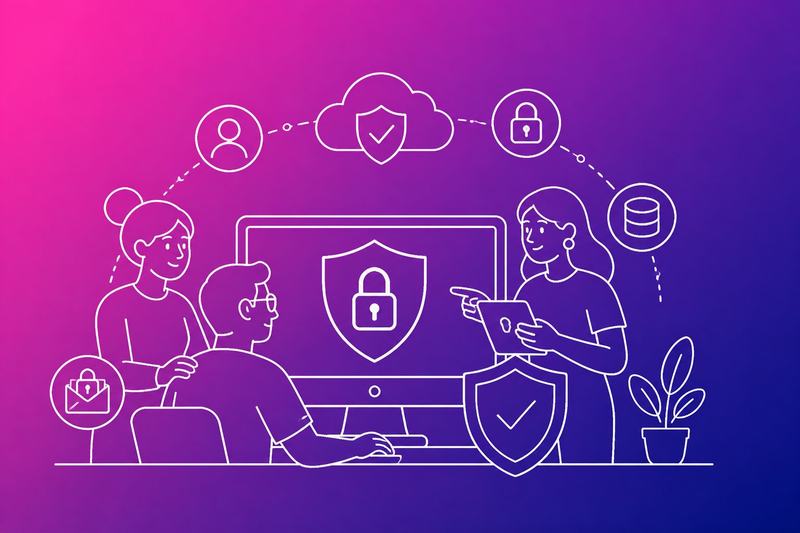
Stolen passwords and excessive permissions can let an attacker enter business systems, view customer data or alter payments. Strong sign-in controls and restricted access reduce the damage if an account is compromised.
Require multi-factor authentication
A password alone should not protect email, banking, cloud services or remote access. If an attacker obtains it through phishing or a data breach, they can sign in as the employee. Multi-factor authentication (MFA) requires another proof, such as an authenticator app code, a hardware security key or a biometric check.
An operator should enable MFA for every service that supports it, starting with administrator, finance and email accounts. They should prefer authenticator apps or security keys over text messages where possible, because text messages face risks such as number transfer fraud. They should store recovery codes securely and test account recovery before an emergency.
Each employee should use a separate account. Shared logins prevent reliable accountability and make it difficult to remove one person’s access without disrupting others. The business should review MFA enrolment and sign-in alerts, then investigate unexpected prompts, new devices or unfamiliar locations.
Apply least-privilege permissions
An employee who can access every system creates a larger target for attackers. If malware reaches that account, excessive permissions can expose files, change settings or create new users. Least privilege gives each person only the access needed for their current duties.
The operator should define access by role, such as sales, support, finance and administration. Standard work should use a non-administrator account. Administrator access should use a separate account, require MFA and be limited to specific tasks.
Access should be removed promptly when someone leaves or changes role. The business should review permissions at least regularly and after major changes. It should also restrict access to sensitive records by folder, application or customer account, where the service allows it. Logging should record important actions, including permission changes, exports and new account creation.
Secure devices and networks
Unpatched devices give attackers known weaknesses to exploit, while poorly separated networks can let an incident spread beyond its original point. Businesses should control updates, replace unsupported equipment and keep customer access apart from systems that hold business data.
Keep software and firmware updated
Attackers often target operating systems, browsers, applications, routers, printers and other devices with publicly known flaws. If a business delays updates, an attacker may steal credentials, install malware or access files through a weakness that already has a fix.
The operator should:
- Turn on automatic updates where they do not disrupt essential work.
- Apply security updates to laptops, phones, servers, routers and cloud-connected software.
- Check that firmware updates cover firewalls, access points, printers and internet-connected equipment.
- Record update status for company devices and investigate failures promptly.
- Remove unsupported software and replace equipment that no longer receives security fixes.
- Test important business applications after major updates and keep a rollback plan for critical systems.
Staff should restart devices when prompted and avoid postponing updates indefinitely. The operator should restrict administrator rights so users cannot disable protective controls or install unapproved software.
Separate business and guest networks
A guest using an infected laptop or phone could expose other devices if all connections share one network. A compromised smart television, till system or wireless printer could also provide a route towards files, servers or administrative systems.
The operator should create separate wireless networks for:
- Business devices: laptops, servers, approved printers and other managed equipment.
- Guest access: customers, visitors and personal devices.
- Operational equipment: tills, cameras and other devices that need restricted access.
The guest network should provide internet access only. It should not reach shared folders, printers, payment systems, network management pages or internal applications. The operator should enable client isolation where the network equipment supports it, use strong unique passwords and change them when staff or suppliers with access leave.
A firewall should control traffic between network segments and log blocked connection attempts. The operator should review router and access point settings, disable unused services and prevent remote administration from the public internet.
Safeguard business data
A small business should protect data against accidental deletion, ransomware, device loss and unauthorised access. Tested backups support recovery, while encryption limits what an attacker can read if files or devices leave the business’s control.
Use tested backups
A failed backup can leave the business unable to restore customer records, accounts or operational files after an incident. It should identify the data that operations depend on, including cloud documents, databases, email and configuration files.
The business should keep automatic backups on a schedule that matches how often data changes. It should store at least one copy separately from the main network, because ransomware can reach connected backup locations. Access to backups should use separate accounts and multi-factor authentication where available.
A backup is not reliable until someone restores files from it. The business should test recovery at set intervals and record what worked, what failed and how long restoration took. It should protect backup devices and services with strong access controls, monitor failed jobs and retain older versions to address delayed discovery of corruption or malware.
Encrypt sensitive information
If an unauthorised person obtains an unencrypted laptop, drive or file, they may be able to read personal, financial or commercially sensitive information immediately. Encryption reduces this risk by requiring a key or authorised account to access the content.
The business should enable full-disk encryption on laptops and mobile devices, particularly those used away from the workplace. It should encrypt sensitive data in transit, including information sent between staff, systems and online services. Secure transport protocols such as HTTPS and approved encrypted file-sharing services help prevent interception.
Access controls still matter because encryption does not stop an authorised user from misusing data. The business should limit access by role, remove permissions when responsibilities change and protect encryption keys and recovery codes separately from the encrypted data. It should also confirm that suppliers encrypt stored data and connections before transferring customer or business information to them.
Defend against email and phishing
Email attacks exploit rushed decisions, exposed accounts and trusted business relationships. Staff should verify unusual requests before acting, while domain controls should reduce spoofing and identify messages that fail authentication.
Recognise common social engineering tactics
Attackers may impersonate a supplier, customer, director or delivery company. They often create urgency, request secrecy or change bank details shortly before payment. A familiar display name does not prove that the sender’s address is genuine.
Staff should treat unexpected links, attachments and payment requests as untrusted. They should open the organisation’s website manually rather than through an email link, check the full sender address and contact the requester through a known phone number or separate message. They should not use contact details supplied in the suspicious email.
A short procedure can prevent avoidable loss:
- Payment changes: require a second person to verify new bank details.
- Sensitive data requests: confirm the purpose and recipient before sending.
- Unexpected attachments: scan them and verify the sender first.
- Compromised accounts: report them immediately so access can be revoked and affected contacts warned.
Staff should report near misses without blame. Early reporting gives the operator time to reset credentials, remove malicious forwarding rules and warn customers.
Configure domain email protections
The organisation should publish SPF, DKIM and DMARC records for every sending domain. SPF lists approved sending services, DKIM adds a cryptographic signature and DMARC tells receiving systems how to handle messages that fail authentication.
The operator should start DMARC with monitoring, using p=none and reviewing aggregate reports. After legitimate services pass SPF or DKIM and align with the visible From domain, the policy can move to p=quarantine or p=reject. Each change should follow testing because invoices, newsletters and helpdesk platforms may send through separate services.
The organisation should also configure:
- MFA for email accounts, especially administrator and finance accounts
- External sender labels where the email platform supports them
- Forwarding restrictions to prevent silent data theft
- Mailbox alerts for impossible travel, unfamiliar devices and rule changes
These controls reduce spoofing but cannot detect every fraudulent message. Payment approvals, staff training and independent verification remain necessary.
Control third-party risk
Suppliers can expose customer data, payment systems and internal accounts even when they never enter the office. A business should verify access needs before sharing information, then put specific security duties and breach procedures into each contract.
Assess suppliers before granting access
The business should list what each supplier needs to access, such as customer records, cloud storage, payment services or remote support tools. It should grant the minimum access required, restrict it to named users and remove it when the work ends. Shared accounts make activity harder to trace and should be avoided.
Before approval, the business should check whether the supplier uses multi-factor authentication, encrypts data in transit and at rest, applies security updates and limits staff access. It should request relevant evidence, such as an independent security report, penetration test summary or documented security policy. The supplier should explain where it stores data and which other providers can access it.
The business should record the supplier, data involved, access granted, review date and owner responsible for the relationship. It should reassess high-risk suppliers at least annually and after major changes to services, ownership or systems.
Set security expectations in contracts
A contract should state which data the supplier may access, why it may use it and how long it may retain it. It should prohibit unauthorised use, require secure deletion or return of data and require the supplier to protect any approved subcontractors to the same standard.
The agreement should require multi-factor authentication, timely security updates, encryption and access logs where appropriate. It should also require the supplier to report suspected incidents promptly, preserve relevant evidence and support investigation, containment and customer notifications when needed.
Contracts should define audit or evidence rights, including access to security policies, test results and relevant assurance reports. They should identify who pays for remediation, require approval before adding subcontractors and set clear exit terms so the business can revoke access and retrieve its data.
Detect and respond to incidents
Small businesses reduce damage when they identify unusual activity quickly and follow a pre-agreed process. Clear alerts, named responsibilities and preserved evidence help contain an attack before it affects customers, payments or business operations.
Monitor for suspicious activity
Attackers may use stolen passwords, malware or unauthorised access to reach business systems. Warning signs include repeated failed logins, sign-ins from unexpected countries, new administrator accounts, unusual file downloads, disabled security tools and unexpected changes to payment or bank details.
The business should enable logging and alerts for email, cloud services, firewalls, endpoint protection and critical applications. Someone should review high-priority alerts each working day, with a named deputy covering absences. The business should also record normal login locations, devices and user activity so it can identify meaningful changes.
Staff should report suspicious emails, missing devices, unexpected password prompts and unexplained system changes immediately. They should not delete messages, reset affected devices or contact suspected attackers, because those actions may remove evidence.
Create an incident response plan
A written plan should state who decides whether an incident is genuine, who isolates systems and who contacts management, insurers, suppliers, customers and relevant authorities. It should include current telephone numbers and an offline copy in case attackers compromise shared drives.
The first actions should limit harm: disconnect an affected device from networks, disable compromised accounts, block malicious access and protect backups. Staff should avoid switching off a system unless the plan or an incident specialist directs them to do so, because volatile evidence may be lost.
The plan should require an incident log containing times, observations, actions and decisions. It should define when the business must seek specialist support, notify affected people or report the incident under applicable data protection, contractual or regulatory requirements. The business should test the plan at least annually and update it after any incident or major system change.
Meet legal and insurance requirements
A small business must know which personal data it handles, why it needs that data and where it goes. It must also meet the conditions of its cyber insurance policy, because missing a required control can reduce or invalidate a claim.
Handle personal data lawfully
Unnecessary collection creates avoidable legal and security exposure. The business should record the personal data it holds, its purpose, storage location, access permissions and retention period. It should collect only what it needs, explain the use through a clear privacy notice and obtain valid consent where the law requires it.
The business should restrict access by job role, protect data in transit and at rest and delete it when the retention period ends. It should check suppliers that process data, including cloud, payroll and marketing providers, and put suitable data processing terms in place.
A suspected breach may require prompt investigation, records and notification to the Information Commissioner’s Office or affected individuals, depending on the circumstances. The business should maintain an incident plan that identifies who assesses the breach, preserves evidence and contacts regulators and customers.
Understand cyber insurance conditions
A policy may require specific safeguards before it covers an incident. These can include multi-factor authentication, supported software, regular patching, tested backups, endpoint protection, staff training and a documented incident response plan.
The business should keep evidence that it meets each condition. Useful records include patch reports, access reviews, backup restoration tests, training logs and security configuration checks. Insurers may examine these records after an incident, so staff should not describe controls as complete when they are only planned.
The policy should state what events it covers, such as ransomware, data recovery, business interruption, investigation costs and legal support. It should also state exclusions, excesses, notification deadlines and any requirement to use an approved breach-response provider. Management should review the policy after major changes to systems, suppliers or the data it handles.
Make security a routine operation
Small firms reduce cyber risk when staff follow defined steps every day and managers check that those steps still work. Clear ownership, regular practice and tested recovery plans prevent small mistakes from becoming customer-facing incidents.
Train staff for their responsibilities
Staff can expose accounts or customer data through reused passwords, unsafe links, misdirected emails or unapproved software. Each person should know which systems they use, what information they handle and which actions require approval.
The operator should provide short, role-specific training when someone joins, changes duties or receives access to a new system. Training should cover:
- using a password manager and multi-factor authentication
- checking unexpected payment or data requests through a separate channel
- reporting suspicious messages without deleting evidence
- handling customer information only in approved systems
- locking screens and protecting devices outside the workplace
Managers should record attendance and test practical understanding with exercises, such as a simulated phishing report or a request to verify a supplier bank change. Staff should know who receives reports and should not fear blame for raising concerns quickly.
Review controls and recovery plans regularly
Controls weaken when staff change roles, software changes or old accounts remain active. The operator should review user access, administrator rights, software updates, backup results and security alerts at a fixed interval, with an owner and completion date for each task.
Recovery plans must state who disconnects affected devices, who contacts suppliers or customers, who preserves evidence and who decides when systems can return to service. Backups should use protected copies that attackers cannot alter through ordinary staff accounts. The operator should test restoration, not merely confirm that a backup job completed.
A practical review should check whether the business can restore key records, continue essential operations manually and meet its reporting obligations after ransomware, account compromise or equipment loss. Findings should produce specific actions, deadlines and named owners.
Frequently asked questions
Small businesses can reduce exposure by controlling access, updating systems, training staff and preparing an incident plan. Clear records, secure backups and careful handling of customer information also support legal and operational requirements.
What are the most common cyber threats facing small businesses?
Phishing remains a common route into business email, cloud accounts and payment systems. Attackers may impersonate suppliers, customers or senior staff to request passwords, invoices or urgent transfers.
Ransomware can encrypt files and disrupt operations. Other risks include weak passwords, unpatched software, stolen devices, accidental data disclosure and fraudulent changes to supplier bank details.
What basic cyber security controls should every small business put in place?
The business should:
- Enable multi-factor authentication on email, financial services, remote access and administrator accounts.
- Use unique, strong passwords stored in a reputable password manager.
- Install security updates promptly on operating systems, applications, routers and mobile devices.
- Limit administrator access and remove accounts when staff leave.
- Use supported antivirus or endpoint protection.
- Back up essential data regularly, keep at least one backup separate from the main network and test restoration.
- Encrypt laptops and phones where the operating system supports it.
- Configure email protections such as spam filtering and sender authentication.
- Record key assets, suppliers, systems and recovery contacts.
How can staff reduce the risk of phishing and fraud?
Staff should pause when a message creates urgency, requests secrecy or changes payment details. They should check the sender address, avoid unexpected links and contact the person or supplier through a trusted channel, not through the message.
The business should require a second person to verify new bank details and unusual payment requests. Staff should report suspected messages quickly, even if they clicked a link or disclosed information, because early action can limit access and financial loss.
Why should small businesses use multi-factor authentication?
Multi-factor authentication requires an additional proof of identity after the password, such as an authenticator app or security key. It can prevent account access when an attacker obtains or guesses the password.
The business should prioritise email, administrator, finance, cloud storage and remote access accounts. It should avoid relying on text messages where stronger options are available, protect recovery methods and remove access when a person leaves.
What should a small business do after a suspected cyber attack?
The business should activate its incident plan, record what happened and contact its IT provider, insurer or relevant specialist. It should preserve logs, suspicious emails and affected devices rather than deleting evidence.
It should isolate compromised devices where safe, disable stolen credentials and protect unaffected systems. The business should not pay an attacker or make public statements before assessing the incident and obtaining appropriate advice.
If personal data, financial information or regulated services may be involved, the business should assess notification duties promptly. It should contact law enforcement or the relevant authority when the circumstances require it.
How can a small business protect customer data and meet legal obligations?
The business should identify what personal data it holds, why it needs it, where it is stored and who can access it. It should collect only necessary information, restrict access, use secure transfer methods and delete data when it no longer has a valid reason to retain it.
It should maintain privacy notices, supplier agreements, retention rules and breach procedures that match its activities. Under UK data protection law, an organisation may need to report certain personal data breaches to the Information Commissioner’s Office within 72 hours of becoming aware of them, unless the breach is unlikely to create a risk to individuals.