Phishing explained and how to avoid it: a practical guide for operators
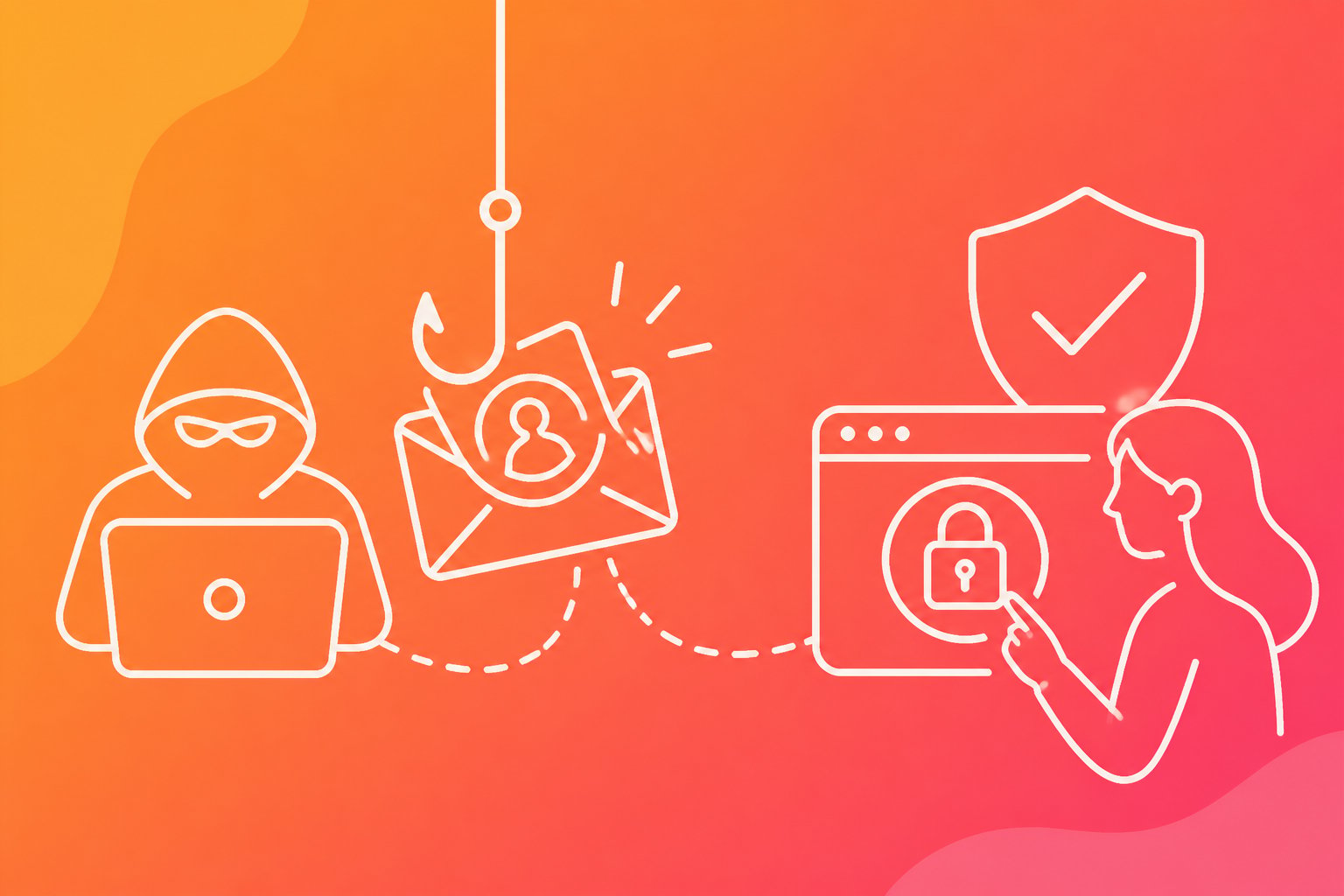
Phishing uses deception to trick people into revealing passwords, payment details or access to business systems. Cybercriminals often use social engineering to make a message look trusted, urgent or familiar.
People can avoid most phishing attacks by checking the sender, questioning unexpected requests and refusing to open suspicious links or attachments. Strong passwords, multi-factor authentication and prompt reporting also limit the damage if someone makes a mistake.
Key takeaways
- Phishing uses trusted-looking messages to steal information or access.
- Suspicious requests often rely on urgency, fear or unusual payment instructions.
- Verification, multi-factor authentication and fast reporting reduce risk.
How phishing attacks work
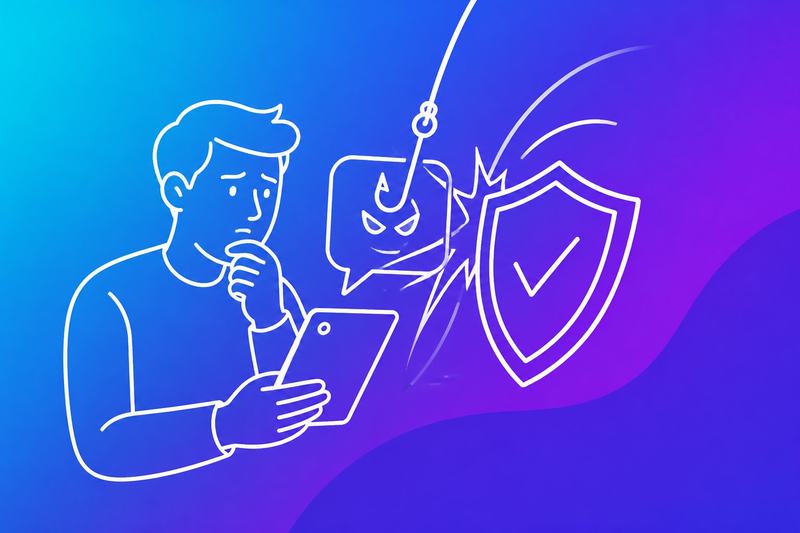
A phishing attack combines impersonation, social engineering and a deceptive request to obtain access, sensitive information or device control. Criminals commonly exploit urgency and trusted brands, then use stolen data for account takeover, fraud, identity theft or further attacks.
The deception and data theft chain
A phishing scam often begins with an email, text message, phone call or social media message that appears to come from a bank, supplier, colleague or public service. The message may contain a link to a cloned sign-in page, an attachment or a request to confirm payment details.
When the recipient responds, criminals can collect login credentials, passwords, personal information and payment data. Some pages capture one-time codes as well as usernames and passwords, allowing an attacker to bypass protections that depend on those codes.
Attachments and links can also deliver malware, including ransomware or software that records activity. Stolen details may support account takeover, fraud or identity theft. Criminals can sell personal data and credentials on the dark web, or use phishing kits to run similar campaigns at scale.
What criminals seek and what can happen
Criminals target information that provides access, money or a credible identity. Common targets include:
- Login credentials and passwords for email, cloud services and business systems
- Financial information, including credit card numbers and bank details
- Personally identifiable information (PII), such as names, addresses and social security numbers
- Security codes and recovery details that help defeat account protections
A stolen business account can expose customer records, invoices and internal messages. An attacker may use it to send convincing requests to suppliers or colleagues, extend access to other systems or alter payment instructions.
Personal data can enable identity theft, fraudulent applications or targeted scams. A compromised device may also allow malware to spread across a network, while ransomware can interrupt operations and demand payment for restored access.
Why urgency and trust create risk
Phishing messages work by reducing the time available for careful checking. A criminal may claim that an account will close, an invoice is overdue, a payment needs approval or a delivery cannot proceed until the recipient acts.
Trust increases the pressure. The message may copy a company logo, use a familiar name or refer to a real project. Attackers can also use information from public websites or earlier breaches to make a request appear specific and legitimate.
Recipients should treat unexpected urgency as a warning, especially when a message asks for a password, PII, payment or security code. They should verify the request through a known channel, inspect the sender and link address and avoid opening unexpected attachments. Organisations should reinforce this behaviour with multifactor authentication, secure payment procedures and reporting routes.
Recognising suspicious messages

Phishing messages often use trusted names, urgent requests and realistic branding to obtain passwords, payment information or other sensitive data. Recipients should check the sender, inspect links and attachments and verify unusual requests through a separate trusted channel.
Sender addresses, spoofing and typosquatting
A phishing email can display a familiar name while using an unrelated email address. The recipient should inspect the full address, including the domain after the @ symbol. An address such as [email protected] is not the same as your bank's official domain.
Spoofing can make a message appear to come from a colleague, supplier or senior manager. Typosquatting uses a lookalike domain with altered spelling, extra words or different domain endings. Attackers may also use recently registered domains that resemble Google, Microsoft or UPS.
A trusted logo does not prove authenticity. The recipient should compare the address with previous genuine messages, avoid replying to suspicious emails and confirm unexpected requests using a known telephone number or established internal contact.
Links, QR codes and dangerous attachments
A suspicious link can lead to a copied sign-in page that captures passwords, payment information or credit card information. The recipient should hover over hyperlinks on a computer to view the destination, but should not open the page merely to inspect it. A shortened or misspelt URL deserves additional caution.
QR codes can hide the destination until a phone scans them. A phishing message may use a QR code to bypass email filtering or direct the recipient to a malicious link. The recipient should check the web address on the phone before entering any data.
Unexpected attachments can contain malware or exploit weaknesses in office software. The recipient should not open invoices, delivery notices or shared documents unless the sender and context are verified. They should report suspicious files through the organisation’s approved process.
Payment requests, generic greetings and other red flags
Requests to change bank details, buy gift cards or transfer funds require independent verification. A message asking for payment information, personal data or urgent action may be a phishing attempt, even when it appears to come from a manager, supplier or customer.
Generic greetings such as “Dear customer” can indicate bulk phishing emails, particularly when the message claims an account problem. Poor spelling, unusual formatting, unexpected attachments and threats of account closure also create red flags, although polished phishing messages can avoid these signs.
Deepfakes and impersonation can support convincing requests by email, phone or video. Staff should treat secrecy, urgency and unusual payment instructions as suspicious activity. They should pause, avoid using contact details in the message and verify the request through a separate, trusted channel.
Common phishing methods
Phishing messages impersonate trusted people, organisations or services to make recipients disclose information, open malware or transfer money. The method may vary, but early warning signs include unexpected contact, urgent requests, unfamiliar links and demands to bypass normal checks.
Email phishing and clone phishing
Email phishing uses messages that imitate banks, suppliers, employers or online services. Scammers may ask recipients to sign in, confirm payment details, open an attachment or review an invoice. The link can lead to a fake website that captures passwords, while an attachment may install malware or exploit a vulnerable application.
Clone phishing copies a genuine message that the recipient may recognise. The attacker replaces a legitimate link or attachment with a malicious one, then sends the altered message from a similar-looking address. The timing often makes the request appear credible.
Staff should inspect the complete sender address, destination of links and attachment type. They should open the service through a known bookmark rather than a message link and confirm unusual payment or account requests through an independent channel. Email filters, multifactor authentication and attachment controls reduce the impact if a message reaches an inbox.
Smishing, vishing and voice phishing
Smishing, also called SMS phishing, uses text messages to create pressure. A message may claim that a parcel needs a fee, an account requires verification or a payment has failed. Links can lead to credential theft, malicious downloads or card fraud.
Vishing, or voice phishing, uses phone calls, recorded messages or caller ID spoofing. The scammer may pose as a bank, police officer, technical support worker or colleague and request passwords, one-time codes, remote access or an urgent transfer. Caller ID does not prove identity.
Recipients should avoid using numbers or links supplied in unexpected messages. They should contact the organisation through its official website, card or internal directory. Staff should never disclose authentication codes or approve an unfamiliar login at a caller’s request. Operators should record and report suspicious calls, texts and numbers so others can recognise the pattern.
Spear phishing, whaling and business email compromise
Spear phishing targets a specific person or team with details gathered from websites, previous correspondence or compromised accounts. The message may reference a real project, supplier or colleague, which makes the request harder to detect.
Whaling focuses on senior leaders or people with authority over money and sensitive information. Business email compromise, or BEC, often involves a compromised mailbox or a lookalike domain. The attacker may request a supplier bank-detail change, payroll update, confidential document or urgent payment.
Controls must separate communication from approval. Staff should verify bank-detail changes and unusual transfers using a known phone number or a second trusted contact. Finance teams should require documented approval, dual authorisation and a cooling-off period for changes. Mailbox access logs, multifactor authentication and alerts for forwarding rules can help identify compromise before a payment or disclosure occurs.
Social media and angler phishing
Social media phishing uses posts, direct messages, adverts or fake profiles to draw recipients towards a harmful link. Angler phishing targets people who publicly complain about a service. A scammer may reply while impersonating customer support and request account details, payment information or a verification code.
Attackers can copy logos, names and profile images, then direct victims to a counterfeit support page. They may also exploit public information to make a message appear relevant. A compromised friend’s account can add credibility to the request.
Users should contact support through the organisation’s verified website or application rather than a social media reply. They should check the account handle, creation history and linked domain, while treating unsolicited direct messages as untrusted. Organisations should monitor impersonation, restrict sensitive support actions on social platforms and provide a clear reporting route for suspicious accounts.
Preventing, responding to and reporting phishing
Effective protection combines strong account controls, independent verification and fast incident response. Security software can reduce exposure, but people still need to check requests, contain mistakes and report criminal activity.
Use strong account and device controls
Accounts should use multi-factor authentication (MFA) wherever it is available. An authenticator app or security key generally provides stronger protection than text messages, while two-factor authentication (2FA) still reduces the risk from a stolen password.
A password manager can create a different, long password for every service. If one password appears in a phishing message or data breach, attackers cannot reuse it to enter other accounts. Devices should run current operating systems, browsers, antivirus software and other security updates.
Security software, anti-phishing software and email security controls can block known malicious websites, attachments and messages. Spam filters help reduce volume but cannot identify every convincing scam. AI-powered scam detection can support review, including when criminals use generative AI to produce fluent messages, but it should not replace human verification.
Important files should have offline or otherwise protected backups. An external hard drive can help restore data after ransomware, provided it remains disconnected when backups are not running and the organisation tests recovery.
Verify requests through trusted channels
A message that demands secrecy, urgency, payment, password changes or sensitive information requires independent verification. The recipient should avoid links and contact details in the message, then use a known website, an existing supplier record or a trusted telephone number.
Staff should verify changes to bank details and payment instructions through a second channel. A voice call to a previously confirmed number is safer than replying to the original email. For high-value transfers, two authorised people should confirm the recipient and account details.
They should inspect the full sender address rather than relying on the display name. A familiar logo, correct spelling or an existing email thread does not prove authenticity because attackers can copy branding, compromise accounts or create realistic replies.
Contain a mistake and protect affected accounts
If someone clicks a suspicious link, they should stop entering information and disconnect the device from networks if malware may have run. They should tell the security or IT team promptly, preserve the message and avoid deleting evidence before receiving instructions.
A person who supplied a password should change it immediately from a trusted device. They should change it anywhere else that used the same password, revoke active sessions, review MFA methods and check forwarding rules, recovery addresses and recent sign-ins.
If payment or bank details were exposed, the account holder should contact the bank using an official number and request a recall or fraud review. They should monitor transactions, place a fraud alert where available and obtain credit reports to check for unfamiliar applications. Organisations should assess affected data and follow applicable notification duties.
Report phishing to providers and authorities
Recipients should use the email provider’s report phishing function and mark the message as spam. They should also report impersonated services through the genuine company website, using a typed address rather than a link in the message.
In the United Kingdom, victims can report fraud to Action Fraud where applicable. In the United States, the Federal Trade Commission (FTC) accepts reports at ReportFraud.ftc.gov and the Internet Crime Complaint Center (IC3) accepts reports involving online crime. The Cybersecurity and Infrastructure Security Agency (CISA) provides public guidance, while the Anti-Phishing Working Group (APWG) accepts suspicious emails forwarded to its published reporting address.
Reports should include the original message, sender details, URLs, payment information, dates and screenshots where safe. They should not include unnecessary personal information. Affected organisations should preserve logs and evidence, notify relevant providers and coordinate with law enforcement when financial loss, account compromise or personal data exposure occurred.
Frequently asked questions
Phishing uses deceptive messages and websites to steal passwords, payment details or access to business systems. Recipients can reduce the risk by checking the sender, verifying links through trusted channels and reporting suspicious activity quickly.
What is phishing and how does it work?
Phishing is a social engineering attack that tricks someone into sharing information, opening a harmful file or approving an unauthorised action. Attackers commonly impersonate banks, suppliers, colleagues, delivery firms or public bodies.
A message may direct the recipient to a fake sign-in page. Any details entered there can go to the attacker, who may then access accounts, steal money or target other people.
What are the key signs of a phishing email or message?
Common warning signs include:
- An unexpected request for passwords, payment or sensitive information
- Pressure to act immediately or keep the request confidential
- A sender address or phone number that does not match the claimed organisation
- A link with a misspelled domain or an unexpected shortened address
- Unusual spelling, formatting or tone
- An attachment the recipient did not expect
- A request to bypass normal approval or payment procedures
A familiar name or logo does not prove that a message is genuine. Attackers can copy branding and spoof display names.
How can I avoid clicking a phishing link?
The recipient should avoid clicking links in unexpected messages. Instead, they should type the organisation’s known web address into the browser or use its official app.
They should inspect the full link before opening it, but they should not rely on link previews alone. If a colleague or supplier sends an unusual request, the recipient should confirm it through a separate trusted channel.
What should I do if I receive a suspected phishing email?
The recipient should not reply, click links, open attachments or use contact details supplied in the message. They should report it through the organisation’s approved process, then delete it if instructed.
If the message targets a work account, the recipient should notify the security or IT team promptly. They should preserve the message if the organisation needs its headers, links or attachments for investigation.
What should I do if I have entered my details on a phishing website?
The person should change the affected password immediately using the genuine website or app. If they reused that password elsewhere, they should change it on every affected service.
They should contact the bank or payment provider if they entered card or account details. They should also report the incident to their organisation, enable multi-factor authentication where available and monitor accounts for unauthorised activity.
If they downloaded software or opened an attachment, they should disconnect the device from the network if instructed by their security team. They should not attempt to hide the incident or continue using a potentially compromised device for sensitive work.
How can organisations reduce the risk of phishing attacks?
Organisations should require multi-factor authentication, use strong email filtering and keep operating systems, browsers and security software up to date. They should restrict administrator access and apply least-privilege permissions so a compromised account has limited reach.
They should provide practical training on payment changes, suspicious links and unexpected attachments. Staff should have a simple reporting route, and security teams should investigate reports quickly.
Payment and account-change requests should follow independent verification and dual approval. Organisations should also test backups, monitor sign-in activity and rehearse how they will contain a compromised account.