Cyber hygiene basics for small business: essential security controls
Small and medium businesses face cyber threats that can disrupt operations, expose customer data and damage trust. Good cyber hygiene gives them practical controls to reduce everyday risk without treating cybersecurity as a one-off project.
Small businesses can strengthen their security posture by protecting accounts, limiting access, updating technology, training staff and preparing for incidents. These steps support sound risk management and help prevent common weaknesses from reaching customers or critical systems.
Key takeaways
- Strong account controls reduce unauthorised access.
- Staff awareness and timely updates help detect threats.
- Repeatable checks keep cyber hygiene effective.
Prioritise the first controls that reduce everyday risk
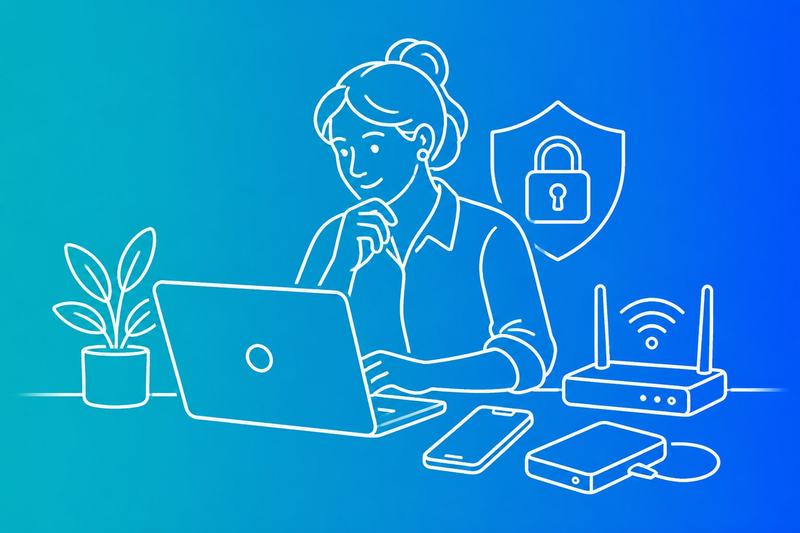
Small businesses can reduce common attack paths by securing critical accounts, managing passwords, patching systems, protecting endpoints and maintaining recoverable backups. These controls limit the impact of phishing, stolen credentials, malware, ransomware and hardware failure.
Require phishing-resistant MFA for critical accounts
A stolen password can give an attacker access to email, cloud storage, banking services or remote administration tools. They may then approve fraudulent payments, reset other accounts or read customer information.
The business should require phishing-resistant multi-factor authentication (MFA) for administrator, finance, email and remote-access accounts. Security keys using FIDO2 or WebAuthn provide stronger protection than one-time codes because they verify the genuine website. If those options are unavailable, an authenticator app is generally safer than SMS, although it remains vulnerable to some attacks.
The business should disable shared administrator accounts, record who holds privileged access and remove access promptly when someone changes role or leaves. It should also keep emergency recovery codes offline, restrict their use and test account recovery without weakening MFA.
Use password managers and strong passwords
Password reuse allows one data breach to expose several business services. Attackers routinely test stolen credentials against email, accounting platforms, hosting accounts and supplier portals.
A business should provide an approved password manager and require a separate, randomly generated password for every account. The password manager should protect its vault with a strong unique passphrase and MFA. Staff should never store business passwords in browsers or unprotected documents unless the organisation has assessed and approved that method.
Administrators should prioritise changing reused, exposed or shared passwords. Long passphrases work well for passwords that people must remember, while the password manager can create longer random passwords for everything else. Recovery details should remain current, and access to the password manager should follow the same controls as other critical systems.
Patch systems and protect endpoints
Unpatched operating systems, browsers, routers and business applications can contain flaws that allow malware or unauthorised access. Delayed updates increase exposure, particularly on internet-facing devices and systems that handle customer or financial data.
The business should enable automatic updates where they will not disrupt operations, then maintain an inventory of laptops, phones, servers, network equipment and software. It should set a defined deadline for high-risk security patches and document exceptions with an owner and review date.
Endpoint security should include supported operating systems, device encryption, screen locking, least-privilege user accounts and reputable antivirus software with automatic updates. Staff should not install unapproved applications or disable protection. The business should also separate administrator accounts from daily accounts and investigate alerts for malware, unusual logins or disabled security controls.
Create tested, recoverable data backups
Ransomware, accidental deletion, hardware failure and a compromised administrator account can make important files unavailable. A backup that remains connected to the affected environment may be encrypted or deleted during the same incident.
The business should identify essential data, including accounts records, contracts, customer information and configuration files. It should keep multiple backup copies using different storage locations, with at least one copy protected from routine account access. Backups should use encryption in transit and at rest where supported, with keys and recovery credentials controlled separately.
Automatic schedules should match operational needs, not convenience. The business should monitor backup jobs and investigate failures promptly. It should restore representative files and a complete system at planned intervals, recording how long recovery takes and who performs each step. A tested restore provides evidence that backups can reduce downtime rather than simply showing that files were copied.
Control access to business systems and data

Weak access control lets an attacker use one compromised account to reach sensitive data, change settings or move between systems. Businesses should limit permissions, protect remote connections and maintain an accurate record of every device, application and online service.
Apply least privilege to user and admin accounts
Each user account should provide only the access required for the person’s current duties. Standard accounts should handle routine work, while separate admin accounts should manage software, devices and security settings. Privileged accounts should not be used for email or web browsing.
The business should review user accounts, group memberships and MFA status when someone joins, changes role or leaves. It should remove dormant accounts promptly and disable shared accounts where possible. MFA should protect email, cloud services, remote access tools and all administrator accounts.
Access reviews should cover the workspace platform, file stores, finance systems and customer databases. Logs should record sign-ins, permission changes and failed MFA attempts. These records can reveal unauthorised access before an intruder changes data or uses one account for lateral movement.
Secure remote access and wireless networks
Remote access tools expose internal systems when attackers steal passwords or exploit weak configurations. The business should approve specific tools, keep them patched and restrict access to named users. A VPN should use strong authentication and current encryption, while its accounts and logs should receive regular review.
Business laptops should use disk encryption, screen locks and centrally managed security updates. The firewall should block unnecessary inbound connections, and the business should check for open ports on internet-facing systems. Staff should avoid direct exposure of remote desktop services to the public internet.
Wireless networks should use WPA3 where supported, with a strong unique passphrase and updated access points. A separate guest network should prevent visitors from reaching business devices, printers or storage. The business should change default administrator credentials and remove unused wireless equipment.
Find unmanaged devices, apps and services
Unmanaged laptops, phones, routers and cloud services create an unknown attack surface. An inventory should record each device’s owner, operating system, encryption status, security software and last check-in. Devices that lack updates or protection should lose access until they meet the business standard.
The business should review installed applications, browser extensions, remote access tools and connected cloud services. Unapproved software can store sensitive data outside approved controls or expose credentials. Staff should report new services rather than creating workarounds that become shadow IT.
Cloud administrators should review OAuth connections, API keys, external sharing and inactive accounts in the workspace platform. They should remove unused services and restrict third-party access. Regular checks should identify unknown devices, applications and services before attackers use them for unauthorised access.
Prepare staff and technology to detect threats
Small businesses reduce exposure when staff can recognise phishing, report suspicious activity and use strong security practices consistently. Email controls, practical exercises and continuous monitoring help identify threats before cybercriminals reach customer data, systems or payment processes.
Defend email against phishing and social engineering
Phishing messages often imitate suppliers, banks, senior staff or cloud services. They may request an urgent payment, a password reset or confidential information. Social engineering relies on pressure and familiarity, so staff should verify unusual requests through a separate trusted channel.
Email security should use spam and malware filtering, sender authentication controls such as SPF, DKIM and DMARC, attachment scanning and link protection. The business should block or quarantine high-risk file types and prevent automatic execution of macros where possible.
Staff should never enter credentials after following an unexpected link. They should check the sender address, inspect the destination before opening it and report suspicious messages using a defined process. Multi-factor authentication limits damage when credential attacks succeed, but it does not replace careful verification.
Run simulated phishing and practical training
Simulated phishing gives staff practice without exposing real accounts. Exercises should reflect the business, such as fake invoice changes, delivery notices, shared-document alerts or messages that appear to come from a manager. They should test recognition, reporting and verification rather than shame individuals.
Training should explain the warning signs behind each exercise. Staff need to know how cybercriminals use urgency, authority, unexpected attachments, lookalike domains and requests for secrecy. They should practise reporting messages, checking payment changes and contacting a supplier through a known telephone number.
The business should record useful measures, such as reporting speed, clicks, submitted credentials and repeated problem areas. It should provide targeted coaching after an exercise and repeat training when roles, systems or threats change. Leaders should follow the same security practices as everyone else.
Monitor vulnerabilities, alerts and account activity
The business needs visibility across devices, applications, cloud services and user accounts. It should enable security alerts for suspicious sign-ins, impossible travel, repeated failed logins, new administrator accounts, mailbox forwarding rules and changes to payment details.
Vulnerability scanning can identify missing patches, unsupported software and exposed services. Owners should prioritise internet-facing systems and vulnerabilities known to be exploited. The Cybersecurity and Infrastructure Security Agency’s Known Exploited Vulnerabilities catalogue provides a useful reference for prioritisation, but it should not replace supplier advisories or risk assessment.
A named person should review alerts, record decisions and escalate signs of compromise quickly. The business should remove unused accounts, apply least privilege, patch supported systems and test backups. Continuous monitoring matters because an attacker may use a stolen account quietly after the original phishing message disappears.
Make cyber hygiene a repeatable business process
A repeatable security programme gives people clear duties, regular checks and tested responses. It helps a small business improve its security posture without relying on individual memory or treating cybersecurity as a one-off project.
Assign ownership and measure the security programme
The owner or senior manager should name a person accountable for the security programme, even when the business has no internal IT team. That person should maintain the asset list, track software updates, review access rights and arrange staff training. An external IT provider can perform technical work, but the business should retain responsibility for decisions and risk acceptance.
The accountable person should record a small set of measures each month:
- Percentage of supported devices with current security updates
- Number of accounts using multi-factor authentication
- Age of unresolved high-risk weaknesses
- Completion of tested backups
- Staff completion of phishing and security training
- Time taken to contain and recover from incidents
These measures show whether controls work in practice. They also reveal when suppliers, staffing changes or new systems weaken the security posture. The cybersecurity strategy should assign deadlines, evidence requirements and an escalation route for missed checks.
Use NIST CSF and CIS controls to set priorities
Small businesses can use the NIST Cybersecurity Framework 2.0 to organise work under Govern, Identify, Protect, Detect, Respond and Recover. The framework helps management compare the current profile with a target profile, but it does not replace technical instructions or risk decisions.
The CIS Controls Implementation Group 1 (CIS Controls IG1) provides a practical starting point for cyber hygiene for small businesses. It prioritises tasks such as maintaining an asset inventory, controlling administrator accounts, applying secure configurations, managing vulnerabilities, using protective software and keeping recoverable backups.
A business should address exposed remote access, unsupported systems and missing backups before lower-risk improvements. It can also use the Cross-Sector Cybersecurity Performance Goals to check essential practices. Secure by design principles should guide new purchases, including strong default settings, reliable logging, update support and clear supplier responsibilities.
Document incident response and recovery steps
An incident response plan should state who makes decisions when malware, account compromise or data theft affects the business. It should include contact details for the IT provider, internet provider, insurer, legal adviser and relevant authorities, with paper or offline copies available if systems become inaccessible.
The plan should give staff simple instructions: disconnect an affected device from networks when safe, preserve evidence, report the issue through a named channel and avoid deleting files or communicating with an attacker. It should explain who can disable accounts, block traffic, contact customers and approve public statements.
Recovery steps should identify clean backup copies, restoration order and checks before systems return to service. The business should test the plan at least annually and after major changes. Each exercise should record gaps, owners and deadlines, then update the incident response plan.
Frequently asked questions
Small businesses can reduce common risks by controlling access, updating systems, training staff, protecting email and maintaining tested backups. Clear policies and regular checks help staff apply these controls consistently.
What are the basic cyber hygiene practices for a small business?
A small business should use supported software, install security updates promptly and remove unused accounts. It should protect devices with reputable security software, enable firewalls and encrypt laptops and removable storage where practical.
Staff should use unique passwords stored in a password manager and enable multi-factor authentication for email, finance, cloud and administrator accounts. The business should restrict access to only what each person needs and review permissions when roles change.
What should be included in a small business cyber security checklist?
A practical checklist should cover:
- A current list of devices, software, cloud services and data
- Automatic updates and supported operating systems
- Unique passwords and multi-factor authentication
- Separate administrator accounts
- Email filtering and phishing reporting
- Device locks, encryption and secure disposal
- Regular backups tested through restoration
- Access reviews after staff join, change roles or leave
- A documented incident response plan
- Cyber security training for staff
- Supplier and remote-access checks
The business should assign an owner to each task and record completion dates. It should review the checklist after an incident or major technology change.
How can small businesses protect against phishing emails and ransomware?
Phishing emails can trick staff into revealing passwords, opening harmful attachments or sending payments. Staff should check unexpected requests through a separate trusted channel, avoid clicking unfamiliar links and report suspicious messages without replying.
The business should configure spam and malware filtering, block risky attachments where possible and use domain protections such as SPF, DKIM and DMARC. Staff should not enable macros or install software from an email unless an authorised process confirms it.
Ransomware can encrypt shared files and disrupt operations. The business should limit administrator rights, segment critical systems where practical, keep offline or otherwise isolated backups and test that it can restore essential data.
Why are strong passwords and multi-factor authentication important for staff?
Reused or weak passwords allow an attacker to access several services after compromising one account. Each staff member should use a long, unique password for every service and store it in an approved password manager.
Multi-factor authentication adds another verification step, such as an authenticator app or security key. It can limit account access after password theft, although staff should still protect authentication devices and report unexpected approval requests.
How often should a small business update software and back up its data?
The business should enable automatic updates where they will not disrupt operations and install critical security updates as soon as the organisation can test and deploy them safely. It should replace software that no longer receives security support.
Backups should run according to how much data the business can afford to lose. Important data may require daily or more frequent backups, with at least one copy protected from routine account access.
The business should test restoration regularly, not just confirm that a backup job completed. It should record what the backup covers, who can restore it and how long recovery takes.
What should a cyber security policy for a small business include?
A policy should define acceptable use of company devices, email, cloud services and removable media. It should set requirements for passwords, multi-factor authentication, software installation, remote access and handling customer or employee data.
It should explain how staff must report phishing, lost devices, suspected malware, accidental disclosure and unusual account activity. The policy should name responsible contacts and set out steps for containing an incident, preserving evidence and informing affected parties where required.
The business should also document access approval, leaver procedures, backup arrangements, supplier checks and staff training. Management should review the policy at least annually and after significant changes or incidents.