
Automating admin work with AI: practical ways to reduce manual tasks
AI can reduce administrative overhead by handling repetitive work such as sorting messages, extracting data and preparing routine documents. Administrative professionals can use AI for administrative tasks to spend more time on decisions, relationships and work that needs judgement.
The strongest results come from controlled workflows that combine artificial intelligence with human oversight. Teams should choose suitable processes, test each step and set clear rules for privacy, accuracy and approval. The article explains how to apply AI across daily admin work without losing control.
Key takeaways
- Teams can delegate repetitive, low-risk administrative work.
- Controlled workflows connect captured information to approved actions.
- Human oversight and testing help protect accuracy, privacy and accountability.
Choose administrative processes worth delegating
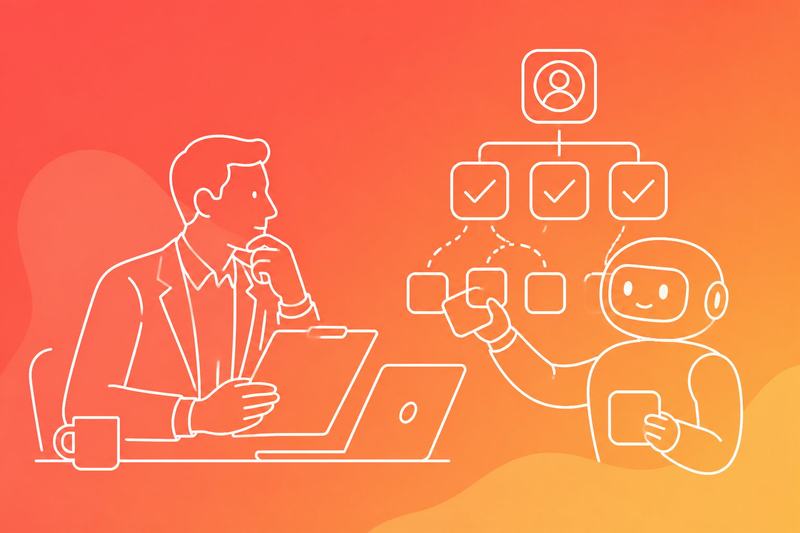
The strongest candidates have clear triggers, structured inputs and predictable outputs. Teams should also weigh repetition, standardisation, failure cost and the level of human judgement each task requires.
Map triggers, inputs and outputs
They should document each administrative task as a simple workflow. The trigger might be a completed web form, an incoming invoice, a calendar event or a new record in the system of record. The inputs should identify required fields, permitted file types and data sources.
The output must be specific and testable. For example, the process may create a support ticket, update a customer record, prepare a draft email or route an invoice for approval. Teams should record exceptions, missing information and hand-offs rather than describing only the normal path.
A process map can use this structure:
Element Example Trigger Supplier submits an invoice Inputs Invoice file, purchase order and supplier record Output Coded invoice sent for approval Exception Amount does not match the purchase order Owner Finance operationsThis map shows where administrative automation can operate and where a person must intervene.
Score repetition, standardisation and failure cost
Teams should score candidate processes against three practical measures: how often the task occurs, how consistently staff perform it and what happens when it fails. Repeated tasks with stable rules usually offer the clearest starting point. Examples include extracting invoice fields, checking form completeness and sending routine reminders.
Standardisation matters because the process needs defined rules, not individual preferences. Teams should compare several completed cases and record the acceptable variations. They should also measure errors such as incorrect routing, duplicate records, missed deadlines and incomplete updates.
Failure cost determines the required controls. A wrong meeting reminder may cause limited disruption, while an incorrect payroll change or compliance record may create financial, legal or reporting risk. High-risk processes need stronger validation, an audit trail and human review before any consequential action.
Set boundaries for judgment and decision-making
They should separate preparation from decision-making. A process may prepare a case summary, classify a request or identify missing documents while a named employee approves the outcome. This division supports AI admin automation without transferring accountability for sensitive decisions.
Teams should define which conditions permit automatic completion and which require human review. Boundaries might include transaction value, customer vulnerability, missing evidence, unusual wording, conflicting records or a potential compliance risk. The process should stop safely when it cannot meet the stated rules.
Each intervention should leave a record of the inputs, action, reviewer and final decision. Operators can review rejected cases and recurring exceptions during continuous improvement cycles, then update the rules, forms or training material. They should not expand the delegated scope until the revised process performs reliably against tested cases.
Build controlled workflows from capture to action

Reliable admin workflows capture source data, extract specific fields and apply clear rules before creating tasks or updating records. They also retain the original meeting, email or CRM entry so staff can check each decision.
Turn meetings into assigned next steps
Meeting transcription gives teams a searchable record, while meeting summaries provide a shorter account of decisions, risks and open questions. The workflow should extract action items with an owner, due date, project, priority and supporting quote from the transcript or notes.
A meeting management process can then send a draft follow-up email to attendees and place approved tasks in the project management system. Action item tracking should flag missing owners or dates rather than guessing them. Staff can test the workflow against several meeting types and check extraction accuracy before wider use.
Route email and CRM updates
Inbox triage should classify messages by purpose, such as customer issue, sales enquiry, supplier request or internal approval. It can then suggest labels, draft follow-up emails and assign messages to a named queue, while urgent or ambiguous messages remain with a person.
Approved rules can update a CRM with contact details, call outcomes or opportunity stages. The workflow should preserve the source email, record which fields changed and prevent duplicate contacts. Teams should measure missed classifications, incorrect updates and the time needed to clear the queue.
Connect apps with approval gates
Workflow automation can connect email, calendars, project management tools and CRM records through a workflow automation platform. AI agents can prepare actions, but rules should control what they may execute.
Low-risk actions, such as creating a draft task, can run automatically. High-risk actions, such as sending external messages, changing CRM opportunity stages or deleting records, should require approval. Each workflow needs defined permissions, error handling, logs and a rollback method. Teams should test duplicate events, incomplete data and service outages before enabling live actions.
Apply AI across core administrative work
AI can reduce routine scheduling, document handling, communications and support tasks when teams define clear rules, connect approved data sources and review important outputs. The strongest results come from measuring time saved, error rates and completion quality rather than relying on broad claims.
Manage calendars, appointments and focus time
AI scheduling assistants can compare availability, time zones, meeting length and working preferences before proposing times. Some scheduling tools can protect focus blocks, while the existing calendar platform provides the underlying calendars and access controls.
Teams should set explicit rules for meeting buffers, travel time, recurring appointments and priority contacts. An assistant can handle booking links, rescheduling and reminders, but staff should approve external commitments and changes to sensitive meetings.
A practical test records the time required to arrange meetings, the number of scheduling messages and the number of calendar conflicts before and after adoption. Calendar management should also cover cancellation rules, room availability and the correct handling of private event details.
Process documents, invoices and records
Document processing can extract dates, supplier names, purchase order numbers, totals and tax details from invoices and forms. Accounting software can then receive structured data, subject to checks for duplicate invoices, incorrect totals and missing approvals.
AI can classify records, apply naming conventions and route files to the correct owner. It can also support document creation by converting approved templates into letters, briefs and standard operating procedures without changing required wording.
Teams should retain the original file, extracted fields and review history. Data management rules must define who can access financial records, how long the business keeps them and which documents require human approval before filing or payment.
Draft communications, reports and presentations
AI can sort inboxes, identify messages that need action and draft replies using approved facts. Gmail users may combine filters with tools such as SaneBox, Superhuman or Front, while managers should still review tone, recipients, attachments and commitments before sending.
Generative AI can turn structured notes into internal updates, report summaries and presentation outlines. A general-purpose AI assistant can help with drafting, a writing assistant can review clarity and a presentation tool can format presentation content, but each output needs a source check against the underlying figures and decisions.
A reliable process separates drafting from approval. It records the source data, assigns an owner and checks whether the final communication states what changed, who must act and when the action is due.
Support distributed teams and customer requests
Distributed teams need consistent access to decisions, task ownership and working hours. A shared workspace with AI features can help organise meeting notes, policies and project updates, provided teams maintain page permissions and a clear source of truth.
Customer support workflows can classify requests, suggest replies and route cases by urgency, product or language. Virtual assistants can handle routine appointment requests and status questions, while staff take over complaints, refunds, account changes and issues involving personal data.
Teams should test responses against a set of real, anonymised cases. They can measure routing accuracy, first-response time, unresolved cases and escalation quality, then update the approved knowledge base when policies or product details change.
Select, test and govern the right stack
A practical stack should fit the organisation’s collaboration platform, produce records that teams can check and support clear data controls. A measured pilot should test accuracy, workflow impact, cost and the points where people must review or correct output.
Match meeting assistants to your collaboration platform
Teams should first match the assistant to the platform where meetings already happen. The major video meeting platforms each offer native capabilities, while dedicated meeting assistants and the AI assistants built into office suites may add transcription, summaries, action tracking or workflow integrations. The choice should depend on identity controls, calendar access, recording policies and export options, not on feature lists alone.
A team should test whether the assistant identifies speakers accurately, separates decisions from discussion and assigns actions to the correct person. It should also check support for accents, technical terms and recurring meeting formats. Other AI agents and writing tools may support adjacent administrative workflows, but they should not receive meeting data unless their access, retention and purpose match the organisation’s controls.
Run a measurable pilot before scaling
A pilot should cover representative meetings rather than carefully selected demonstrations. Teams can sample project reviews, customer calls, operational handovers and meetings with poor audio, then compare the generated record with a human-checked reference.
Useful measures include:
- transcription error rate for names, figures and technical terms
- percentage of decisions captured correctly
- action ownership and deadline accuracy
- time saved on notes and follow-up
- correction time per meeting
- cost per usable record
- user-reported failure rates
The pilot should define pass criteria before testing begins. A failed test should lead to a narrower use case, revised instructions or human review, not automatic expansion. Findings should be recorded with the meeting type, platform, assistant version and correction method so the organisation can reproduce the evaluation.
Protect data and maintain human accountability
Data protection should cover consent, recording notices, access rights, retention periods, deletion requests and transfers between regions. Teams should review vendor terms, encryption claims, audit logs and whether meeting content contributes to machine learning or product improvement. Compliance tracking should link each use case to an owner, approved data types and a review date.
Human oversight remains necessary when records affect customers, employees, care decisions or regulated processes. Omega Healthcare, for example, would need defined review controls for sensitive operational or clinical administration rather than relying on an unchecked summary. A named reviewer should verify decisions, actions and material facts before distribution, while administrators should retain the source recording or transcript according to policy and document corrections.
Frequently asked questions
AI can sort incoming messages, suggest calendar slots, draft routine replies and turn meeting recordings into structured notes. People should retain control over approvals, sensitive decisions and tasks where errors could create legal, financial or operational risk.
What are the best ways to reduce repetitive administrative tasks?
Teams should first list recurring tasks, then record the trigger, required inputs, decision rules and expected output for each one. They can usually start with form processing, document classification, data entry, recurring reports and standard email replies.
A clear review point should sit between the draft and any external action. Staff should measure processing time, correction rates and missed items before and after the change.
Which tasks can be handled safely with AI support?
AI can support low-risk tasks such as extracting fields from invoices, categorising enquiries, drafting internal updates, creating task lists and identifying calendar conflicts. A person should check outputs when the task involves confidential information, contractual terms, payments, employment matters or customer commitments.
It should not make unreviewed decisions about hiring, dismissal, credit, compliance or access permissions. The organisation should define which actions require approval and keep an audit record.
How can I use AI to manage emails, calendars and meeting notes?
It can group messages by topic, identify action requests, draft replies from approved information and flag urgent items. Calendar support can identify overlapping commitments, suggest available times and prepare agendas from the meeting purpose.
For meeting notes, it can create a transcript, extract decisions, assign actions and add due dates. Participants should verify names, commitments and dates before sharing the notes.
What is the best AI tool for administrative work?
The best option depends on the organisation's existing email, calendar, document and workflow systems. A tool that integrates with those systems may reduce copying and access problems, while a separate tool may suit teams with narrow requirements.
An evaluation should test representative tasks using the same sample data. Teams should compare accuracy, correction time, integration quality, access controls, export options and total cost rather than relying on feature lists.
Will AI replace administrative assistants or change their role?
It is more likely to change the balance of work than remove every administrative role. Routine drafting, sorting and data handling may take less time, while coordination, exception handling, supplier contact and judgement may become more important.
Administrative staff should help design workflows, check outputs and improve the underlying records. Organisations should provide training and define responsibility when an automated result contains an error.
How do I protect sensitive business data when using AI for admin tasks?
The organisation should classify data before use and prohibit unapproved services from receiving personal, financial, legal or commercially sensitive information. It should review retention, access, encryption, audit logging and whether submitted data may be used for service improvement.
Access should follow the least-privilege principle, with separate permissions for reading, drafting and sending. Teams should test the process with synthetic data, document the approved workflow and remove access when a person or supplier no longer needs it.