
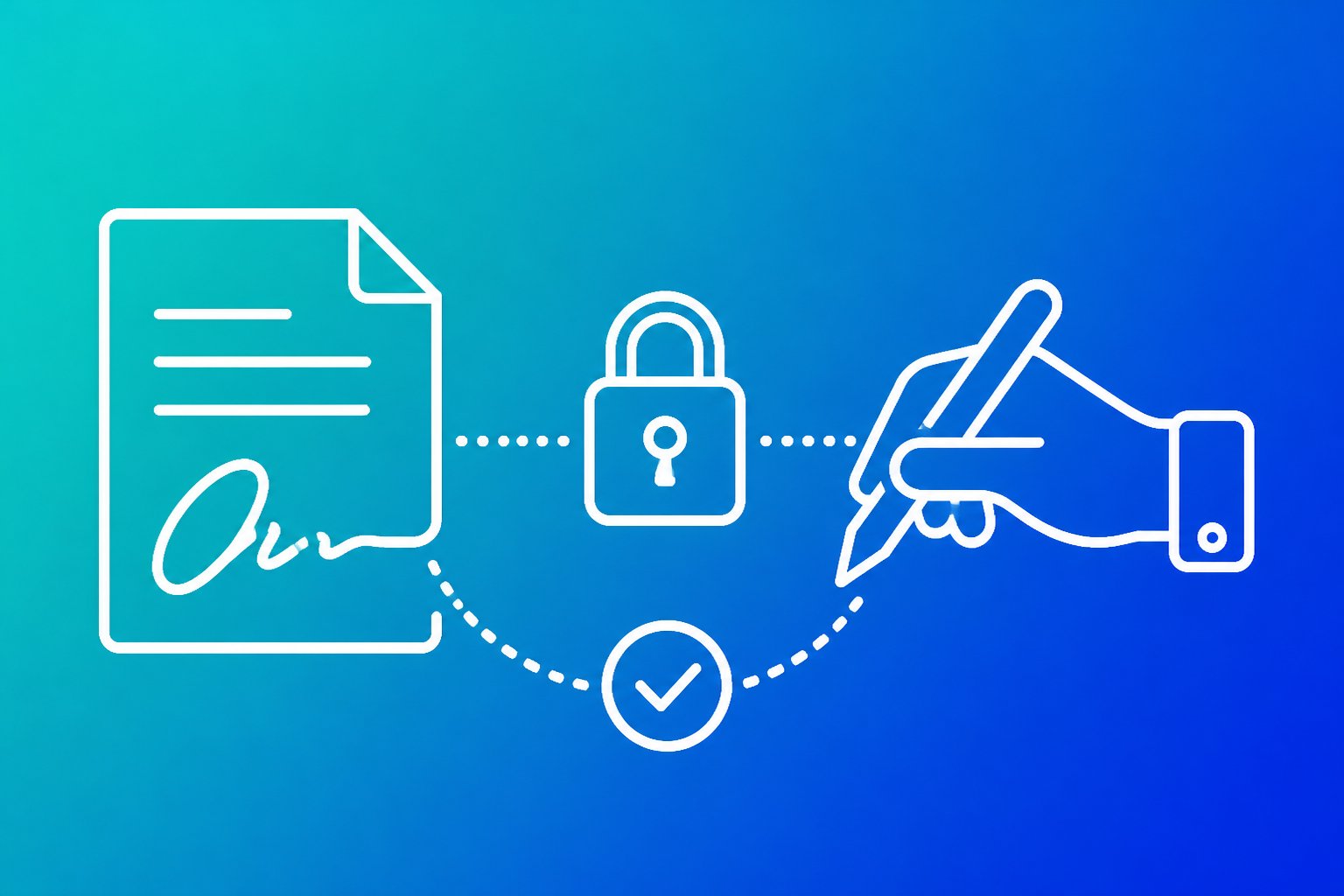
Digital signatures explained simply: how they work
Digital signatures give a digital document a verifiable link to its signer. A digital signature helps prove who signed a document, confirms that its contents have not changed and supports non-repudiation.
It uses cryptography rather than a pasted image of a handwritten signature. Digital signatures form one type of electronic signature, but they provide stronger technical evidence through signing keys, verification and, often, digital certificates. The article explains what the record proves, how verification works and what practical security and legal limits apply.
Key takeaways
- Digital signatures verify identity and document integrity.
- Certificates connect signing keys with claimed identities.
- Electronic signatures do not all provide the same evidence.
What a digital signature proves

A digital signature links a document to a verified digital identity and records whether the signed content changed. It can support accountability, but it does not automatically keep information secret or prove that every statement in a document is true.
Authentication, integrity and non-repudiation
Authentication connects the signature to a person, organisation or system through a digital identity. A certificate authority or another trusted provider may verify that identity before issuing a certificate. The verifier can then check whether the signature matches the claimed signer’s public key.
Integrity means the signed data has not changed since signing. Signing software usually creates a hash of the document, then protects that hash with the signer’s private key. Verification recalculates the hash and compares it with the signed value. If a page, figure or attachment changes, the check should fail.
Non-repudiation describes evidence that makes it difficult for the signer to deny an authorised signature later. Its strength depends on controls such as private-key protection, identity checks, certificate status, timestamps and the audit trail. It does not remove every legal dispute, particularly if someone used a compromised key or signed without proper authority.
Digital signatures versus electronic and scanned signatures
An electronic signature, or e-signature, records a person’s intent to approve or sign. It can involve typing a name, selecting an approval button, drawing a mark or using a signing platform. The method may produce useful evidence such as the signer’s account details, timestamp, authentication steps and audit trail, but it does not necessarily use cryptography.
A digital signature uses cryptographic keys to bind the signer’s identity to specific data. Verification can show whether the document changed after signing and whether the signing certificate was valid under the relevant trust framework. Guidance on how digital signatures differ from electronic signatures explains why the terms should not be treated as interchangeable.
A scanned signature is only an image placed on a file. It may show the intended mark, but it does not independently prove who inserted it or whether the document changed afterwards. The legal effect of any method depends on the applicable law, contract and evidence.
What digital signatures do not protect
Digital signatures protect authenticity and data integrity, not confidentiality. Anyone who receives the signed document may be able to read it. Encryption is required when the content must remain private during storage or transmission.
A valid signature also does not prove that the document contains accurate information, that the signer had authority to make every promise or that the transaction was fair. It confirms a cryptographic relationship between the signer, the signed data and the verification process.
Security failures can still undermine the record. If a private key is stolen, a certificate is misused or a signer’s account is taken over, an attacker may create a signature that appears valid. Organisations should protect keys, verify certificate status, preserve timestamps and retain the audit evidence behind a digital signature with the relevant legal documents.
The signing and verification process

A digital signature uses a hash value, a private key and a matching public key to bind a document to its signer. The process records whether the signed data still matches the original, while encryption protects information from unauthorised reading.
Hashing the document
The signing system first processes the document with a hash function, such as SHA-256 from the SHA-2 family. This hashing algorithm converts the document into a fixed-length string called a hash value or message digest.
A hash function is designed to be a one-way hash function. It should be practical to calculate the digest from the document but impractical to reconstruct the document from the digest. A small change, such as altering one character, should produce a different hash value.
The signer’s software normally hashes the exact data that will be signed. It must use the same format during verification because changes to line endings, encoding or attached metadata can alter the digest, even when the document appears unchanged.
SHA-1 should not be selected for new signing systems because collision attacks have weakened its security. SHA-256 provides a widely used modern option when the implementation applies it correctly and protects the signing keys.
Private keys create the signature
The signer holds a private key, which must remain confidential. The corresponding public key forms a key pair. Together, these cryptographic keys support asymmetric cryptography, also called public key cryptography.
A signing algorithm uses the document’s hash and the private key to create the digital signature. The signature does not usually contain a complete copy of the document. Instead, it contains mathematical evidence tied to the document’s digest and the private key.
The private key does not prove a person’s identity by itself. A certificate or another trusted identity process links the public key to a named person, organisation or service. Operators must protect private keys with suitable access controls, secure storage and key rotation procedures where required.
Different systems use different standards and algorithms, including RSA, ECDSA and EdDSA. The Digital Signature Standard, or DSS, specifies approved digital signature methods for particular regulated or technical environments. The system must record the algorithm used so another party can verify the signature correctly.
Public keys verify the record
During signature verification, the recipient obtains the signer’s public key and checks the signature against the received document. The verifier hashes the document independently, then uses the public key and the relevant verification algorithm to test whether the signature matches that digest.
A valid result shows that the data presented to the verifier matches the data signed by the holder of the corresponding private key. It also shows that the signature has the mathematical structure expected from the stated signing algorithm.
Verification can fail when someone changes the document, the signature becomes damaged or the verifier uses the wrong public key. It can also fail when a certificate has expired, has been revoked or cannot be traced to a trusted authority.
A valid signature does not prove that the signer approved the document’s content for every legal or business purpose. It records control of a private key and protection against undetected alteration. The surrounding certificate, audit trail, timestamp and approval process provide additional evidence.
Why signing is different from encryption
Encryption protects confidentiality. It transforms readable plaintext into ciphertext so unauthorised parties cannot understand it. Decryption reverses that transformation for an authorised recipient.
Symmetric encryption uses the same secret key to encrypt and decrypt data. Asymmetric encryption uses a public key to encrypt data and a matching private key to decrypt it. Neither process, by itself, proves who created the plaintext.
A digital signature serves a different purpose. It uses the signer’s private key to create evidence that can be checked with the public key. The verifier does not decrypt the document to recover its contents. The verifier checks the signature and compares the resulting evidence with a newly calculated hash value.
A system can combine both functions. It can sign data to protect integrity and authenticate its origin, then encrypt the signed data to protect confidentiality. Operators should verify the signature before relying on the record and decrypt the content only through an authorised process. Digital signature workflows commonly separate these signing and encryption roles.
Certificates, legal use and practical security
A digital certificate binds an identity to a public key, while a digital signature shows whether signed data changed after signing. Legal effect depends on the signature type, the parties and the applicable rules, not on the cryptography alone.
How PKI and certificate authorities establish trust
Public key infrastructure (PKI) creates a system for issuing, checking and revoking digital certificates. A certificate authority (CA) verifies an applicant under defined procedures, then signs an X.509 certificate that typically contains the subject’s identity, public key, issuer, validity period and usage restrictions.
A recipient checks the CA signature, the certificate chain and its status. It also checks whether the certificate has expired, been revoked or been issued for the required purpose, such as HTTPS server authentication or digital signing. This process supports secure communication and reduces impersonation risk, but it does not prove that every statement in a signed document is true.
Identity verification varies by certificate type and provider. Organisations should record the certificate policy, validation evidence and revocation checks needed for their compliance obligations. PKI works best when administrators protect private keys, restrict certificate use and review trust stores.
Choosing the right electronic signature level
Electronic signatures range from a basic electronic signature, often called SES, to stronger forms that provide more evidence of identity and control. A typed name, tick box or click-to-accept action may satisfy a transaction requirement, but its evidential strength depends on the surrounding records.
An advanced electronic signature (AES) normally links the signature to the signatory, allows the signatory to be identified and detects later changes to the signed data. A qualified electronic signature (QES) uses a qualified certificate and a qualified signature-creation device under the applicable eIDAS framework. In the European Union, a QES receives the legal status of a handwritten signature, subject to the regulation’s conditions.
The United States ESIGN Act generally supports the legal validity of electronic signatures and records, but it does not make every method suitable for every contract. Organisations should match the method to risk, evidence and compliance needs, then retain consent records, timestamps, the final document and the verification result.
Where digital signatures are used
Digital signatures protect contracts, purchase orders, invoices and approvals by exposing changes made after signing. Digital signature software can capture the document hash, signer identity, certificate details and time of signing, giving reviewers records to inspect rather than relying only on an image of a signature.
Banks and payment providers use certificates and signatures in secure communication and digital transactions. Healthcare organisations use them for prescriptions, clinical records and controlled documents where access, integrity and audit trails matter. E-commerce platforms use signing and HTTPS certificates to protect sessions and authenticate services, although HTTPS does not itself prove that a business is honest.
Software distributors sign applications, updates and packages so devices can check their publisher and detect tampering. Bitcoin transactions use private keys to authorise spending, while many DeFi systems use cryptographic signatures to authorise wallet actions. These uses still require secure key management, because a valid signature usually proves control of a key, not the person’s intent or the safety of the underlying service.
Protecting keys and verifying records
The private key must remain secret. An organisation should store high-value keys in a hardware security module, smart card or other protected device, require a PIN where appropriate and use two-factor authentication for administrative access. It should separate signing keys from encryption keys and limit who can request, approve or use each key.
Operators should verify the signature against the original file, not a re-saved copy that may alter metadata or content. They should check the certificate chain, intended key usage, validity period, revocation status and timestamp, then retain the signed file with its verification evidence.
A key compromise can let an attacker create signatures that appear valid. When compromise occurs, the organisation should revoke the certificate, preserve relevant logs and assess which records the key could have authorised. For contracts and financial transactions, an audit trail should show the signer identity, authentication event, document version and approval sequence.
Frequently asked questions
Digital signatures use cryptography to protect a document’s integrity and verify the signer’s identity. A typed name is only an expression of intent, while a certificate and an auditable signing record can provide evidence about who signed and whether the document changed.
How does a digital signature work?
Signing software creates a hash of the document, which acts as a compact representation of its contents. The signer’s private key then signs that hash.
The recipient’s software uses the signer’s public key to check the signature and creates a new hash from the received document. If the hashes match, the document has not changed since signing and the signature corresponds to the public key.
A certificate can link the public key to an identified person or organisation. The recipient should also check whether the certificate was valid and trusted when the signature was made. Digital signature verification relies on hashing and asymmetric keys.
Is a digital signature the same as typing your name?
No. Typing a name into a document usually provides an electronic indication of intent, but it does not automatically prove who entered it or show whether the file changed afterwards.
A digital signature uses cryptographic keys and normally creates verification data linked to the signed file. Electronic signatures cover a wider range of methods, including typed names, tick boxes and signing platforms, while digital signatures use a specific cryptographic process. The distinction between electronic and digital signatures depends on the method used.
What is an example of a digital signature?
A person can sign a PDF with a certificate issued to their identity. The signing application applies the person’s private key to the document’s hash and embeds the signature and certificate details in the PDF.
When another party opens the file, compatible software can show whether the signature validates, which certificate it used and whether the document changed after signing. A failed validation does not by itself identify the cause. The file may have changed, the certificate may have expired or the trust chain may not be accepted.
Code signing provides another example. A developer signs a software package so that an operating system or customer can check its publisher and detect changes after publication.
What is the difference between a digital signature and a digital certificate?
A digital signature is the cryptographic result attached to a document, message or file. It helps verify integrity and confirms that the matching private key signed the content.
A digital certificate is an electronic credential that binds a public key to an identity or domain. A certificate authority issues it and signs it so that relying software can assess that binding.
The certificate does not sign every document by itself. The signer uses the private key associated with the certificate, while recipients use the certificate’s public key to verify the signature.
What are the main types of digital signature?
Digital signatures are commonly grouped by assurance level:
- Simple signatures use basic electronic data associated with a signer, such as a typed name or an image. They offer limited evidence about identity and control.
- Advanced signatures link the signature to the signer, allow the signer to retain control of the signing data and make later changes detectable. Exact legal requirements depend on the applicable jurisdiction.
- Qualified signatures use a qualified certificate and an approved signing device under the relevant legal framework. They generally provide the highest regulated level of assurance in jurisdictions that recognise this category.
Technical implementations also vary. Some use public key infrastructure with certificates, while others use keys managed by a signing service. The operator should record the signing method, certificate details, validation result and time information.
How do I create a digital signature?
The signer first obtains a signing key pair and, where required, a certificate that identifies the signer. The private key must remain under the signer’s control and should be protected by a strong authentication method.
The signer then opens the document in compatible signing software, selects the signing certificate and applies the signature. The software calculates the document hash and uses the private key to create the signature data.
After signing, the signer should verify the result and retain the original signed file. The record should include the validation status, certificate chain, signing time and any trusted timestamp. Practical guides to creating and using digital signatures explain how these checks support document handling.